












































Is Windows 12 Actually Coming?
The Ultimate Guide to Microsoft’s Future Operating System Plans
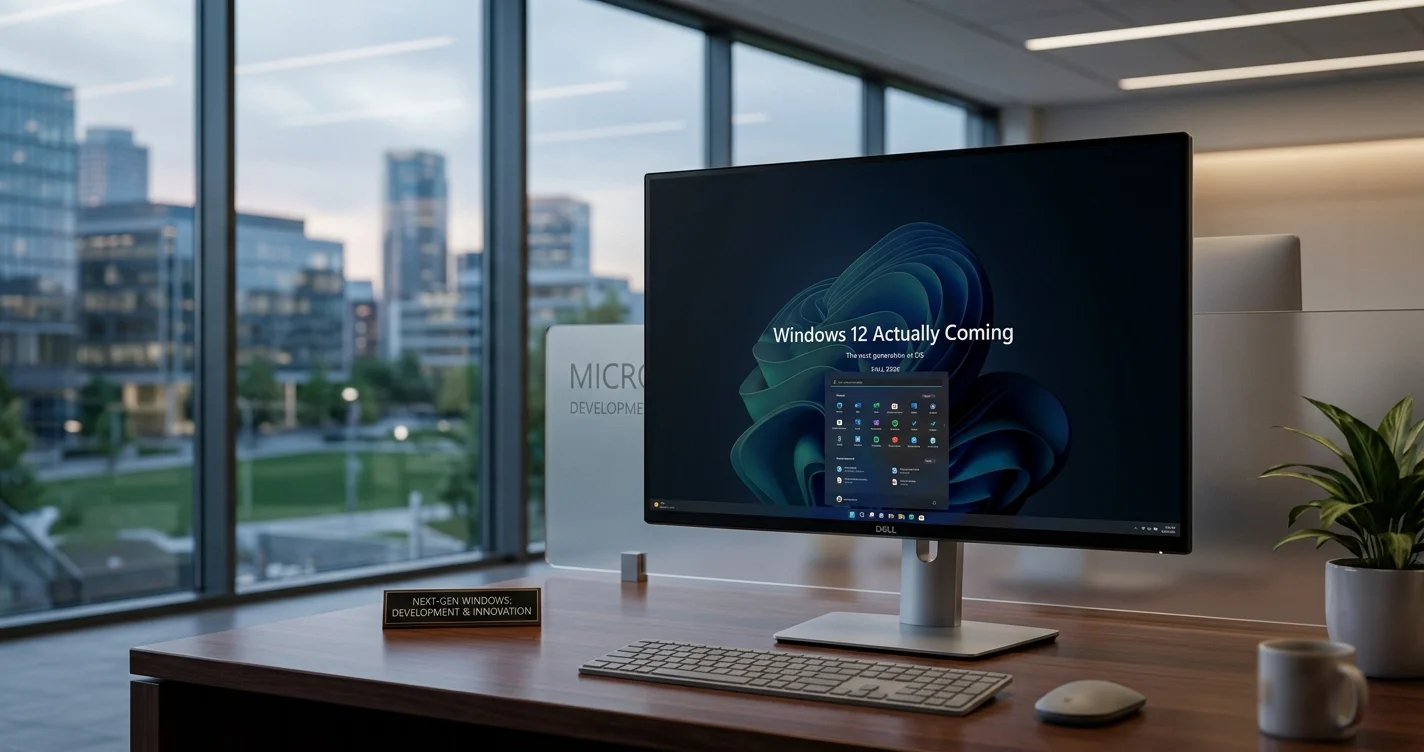
Windows 12 – There’s a question that’s been circulating in tech communities, online forums, and around office water coolers for months now: is Windows 12 actually coming? Microsoft has been remarkably coy about the future of its flagship operating system, leaving millions of users wondering what comes next after Windows 11. In an era where technology evolves at breathtaking speed and operating systems are supposed to be refreshed regularly, the silence surrounding Windows 12 feels almost deafening.
If you’re someone who keeps their finger on the pulse of technology, or even just a regular Windows user concerned about what your computing future looks like, this uncertainty can be genuinely frustrating. Will there be a Windows 12? When might it arrive? What will it look like? Should you upgrade from Windows 10 or stick with Windows 11? These questions matter because your operating system is the foundation of everything you do on your computer.
What makes this particularly interesting is that Microsoft’s approach to Windows has fundamentally shifted in recent years. The company has moved away from the traditional numbered releases that defined Windows for decades. Instead, they’re emphasizing continuous updates and incremental improvements. This philosophy has muddied the waters considerably when it comes to understanding Microsoft’s roadmap and what “Windows 12” might even mean in the context of modern software development.
The truth, as we’ll explore throughout this comprehensive guide, is more nuanced than a simple yes or no answer. Microsoft’s official communications, patent filings, industry analysis, and technical developments all paint a picture of where Windows is heading. But to understand that picture, we need to look at how Windows has evolved, what Microsoft has said (and hasn’t said) about the future, and what the Microsoft Update 2026 timeline might actually involve.
This guide cuts through the speculation and provides you with informed perspective on whether Windows 12 is coming, what the realistic timeline looks like, and what it means for you as a Windows user planning your technology decisions for the coming years.
Table of Contents
The History of Windows Version Numbers and Release Strategy
To understand where Windows is going, we need to understand where it's been. The version numbering system for Windows has been surprisingly chaotic over the decades, and Microsoft's approach to releasing new versions has shifted dramatically.
Windows began with version 1.0 in 1985, and for roughly three decades, Microsoft released new major versions on something resembling a regular cadence. Windows 3, Windows 95, Windows 98, Windows XP, Windows Vista, Windows 7, Windows 8, Windows 10. Each represented a significant departure from its predecessor and came with major visual, functional, and architectural changes.
Then came Windows 11 in 2021, and with it, a subtle but significant shift in messaging. Windows 11 wasn't just the next number in the sequence. It represented a new philosophy. Rather than Windows 11 being succeeded by Windows 12 on a predictable schedule, Microsoft began emphasizing that Windows 11 would receive continuous updates and improvements throughout its lifespan. The "Windows as a service" model, which Microsoft had been gradually moving toward, became the official position.
This shift matters enormously when considering whether Windows 12 is coming. Microsoft executives have repeatedly stated that Windows 11 is "the last version of Windows." That statement initially sounds like they're saying Windows 11 will continue forever unchanged, but that's not what they actually mean. What they're saying is that instead of major numbered releases with dramatic changes and extensive new features bundled into a single launch, Windows will evolve through continuous updates delivered incrementally.
Think of it like software development in the modern era. Most popular applications don't get massive version bumps anymore. Instead, they update constantly with new features, improvements, and bug fixes arriving regularly. Microsoft is suggesting that Windows would follow this same pattern.
However, this declarative statement doesn't necessarily mean the Windows 12 name will never appear. It means that if Windows 12 does arrive, it won't represent the kind of dramatic overhaul that previous numbered releases did. It might instead be a rebranding of an evolved Windows 11, a marketing refresh rather than a fundamental technological replacement.
The Microsoft Update 2026 timeline is particularly interesting here. 2026 marks a significant date in Windows history because it's when Windows 10 support officially ends. For over a decade, Windows 10 has been Microsoft's flagship operating system, and many users and organizations have been slow to migrate to Windows 11. The end of support for Windows 10 in 2026 creates a natural moment where Microsoft might consolidate its messaging around Windows 11 or potentially introduce new branding for the operating system.
Understanding "Windows as a Service" Philosophy
To genuinely comprehend Microsoft's future plans, you need to understand the philosophical shift that "Windows as a service" represents. This isn't just marketing terminology; it's a fundamental change in how Microsoft thinks about operating system development and release cycles.
Traditional software, including traditional Windows releases, followed a model where you'd have a major release with extensive new features and improvements, then you'd wait years until the next major release. Windows 7 to Windows 8 was about three years. Windows 8 to Windows 10 was about two years. Within each version's lifetime, you'd get security updates and bug fixes, but major new features typically only arrived in the next numbered version.
The "Windows as a service" model, by contrast, treats Windows more like a continuously evolving platform. Instead of waiting for Windows 12 to get exciting new features, Windows 11 users receive new features regularly through updates. Some months might bring modest improvements. Others bring more substantial changes. This creates a more dynamic experience where Windows feels fresher and more modern over time without requiring you to upgrade to an entirely new version number.
From Microsoft's perspective, this approach has significant advantages. It allows them to be more agile in responding to technological changes. They can implement security improvements quickly without waiting for a major release cycle. They can test features with a subset of users before rolling them out more broadly. They can respond to competitive pressures from other operating systems more rapidly.
From a user perspective, the benefits are less obvious and more mixed. On one hand, you get improvements and new features more regularly without paying for major upgrades. On the other hand, the constantly changing interface can feel less stable and predictable. You might prefer waiting years for a major stable release rather than adjusting to frequent changes.
The Microsoft Update Assistant, which many users encounter when managing their Windows installations, represents this philosophy in practice. Rather than a traditional installer for a major new version, the Update Assistant represents the incremental, continuous update approach. It helps you stay current with the latest improvements without necessarily jumping between major version numbers.
What Microsoft Has Actually Said About Windows 12
Microsoft's official statements about Windows 12 are surprisingly limited, which itself tells you something important. If Windows 12 were arriving in the next couple of years, you'd expect more concrete communication. Instead, the company has been deliberately vague, which suggests they haven't made final decisions or they're planning something unconventional.
In 2023, Panos Panay, who was then Microsoft's Chief Product Officer, said, "Windows is not done. We are just getting started." This cryptic statement suggested that the company had significant plans for the operating system's future but didn't clarify whether those plans involved a version number change.
More explicitly, various Microsoft executives have made statements saying that Windows 11 is "the last version of Windows." This statement, repeated in multiple contexts, seems to strongly suggest that no Windows 12 is coming. However, the context matters. When the company makes this statement, they typically immediately follow it by explaining that Windows will continue to evolve through continuous updates. They're saying the last version number might be 11, but the operating system itself will continue developing.
The word "might" is important there. Microsoft hasn't permanently burned the bridge on using version 12. They've just said it's not their current plan. Technology plans change. Market conditions shift. Competitive pressures emerge. In five years, Microsoft might decide that rebranding their continuously updated platform as "Windows 12" makes sense for marketing purposes, even if it doesn't represent a traditional major release.
Patent filings offer another window into Microsoft's thinking, though these need careful interpretation. Patent applications don't necessarily become products, but they do show the company is exploring possibilities. Several Windows-related patents filed in recent years suggest Microsoft is exploring significant UI changes, integration with AI systems, and architectural improvements. These could potentially appear in future Windows updates, or they could be features that arrive in a Windows 12 release. Patents alone don't tell us which.
The Microsoft Update 2026 timeline is crucial here. Windows 10 support ends in October 2025, with an extended support period ending in October 2026. This is a natural moment for Microsoft to make major announcements about the future of Windows. If Windows 12 is coming, 2025 or 2026 would be sensible times to introduce it, perhaps coinciding with or slightly following Windows 10's end-of-life date. This would create urgency for Windows 10 users to upgrade and provide a clear separation between old and new.
The Technical Reality: What Would Windows 12 Actually Involve?
If Windows 12 is coming, what would it realistically include? Understanding the technical possibilities helps you evaluate whether a new version even makes sense from Microsoft's perspective.
In the traditional Windows release model, major versions represented significant architectural changes. Windows Vista introduced new driver models and security features. Windows 7 refined Vista's concepts. Windows 8 introduced touch optimization and new UI paradigms. Windows 10 brought unified Windows across devices.
Windows 11, released in 2021, introduced a redesigned interface, new visual language, improved performance, and tighter integration with cloud services and AI. The question becomes: what would genuinely distinguish Windows 12 if it arrived?
One possibility is AI integration. Artificial intelligence is becoming increasingly important across technology, and Windows would benefit from deeper AI capabilities. Features like intelligent task management, AI-powered security, predictive performance optimization, and AI-assisted user interfaces could distinguish a Windows 12 release. Microsoft has already begun integrating AI features into Windows 11, but a more comprehensive reimagining of the operating system around AI could justify a new version number.
Another possibility is architectural changes related to security. Windows has faced persistent criticism about security vulnerabilities, and a major overhaul of security architecture could be substantial enough to warrant a new version number. Microsoft might decide that a complete rethinking of how Windows handles security requires a major version bump.
Performance optimization is another possibility. Windows users frequently complain about bloat and performance degradation over time. A clean-slate approach to performance, stripping away legacy systems and optimizing everything for modern hardware, could be significant enough to justify Windows 12.
Integration with cloud services and subscription models represents another potential direction. Microsoft has been gradually moving Windows toward a subscription-based model with Game Pass for PC and other services. A Windows 12 release could potentially be designed from the ground up around these subscription and services models rather than as a purchased product.
However, here's the technical reality: none of these improvements necessarily require a new version number. Microsoft could implement any of these changes as updates to Windows 11. There's nothing technically preventing the company from delivering AI integration, security improvements, or performance optimization as a massive update to Windows 11. The fact that they could deliver these changes through updates rather than a new version number strengthens the case that Windows 12 might never arrive as a distinct product.
Windows 11 as the Current Standard: What You Should Know
To understand where Windows is heading, you need to understand where it currently stands with Windows 11. The operating system launched in October 2021 with specific hardware requirements that created significant discussion and, for some users, frustration.
Windows 11's hardware requirements are substantially more strict than Windows 10. The most notable requirement is TPM 2.0 (Trusted Platform Module 2.0), a security chip that not all older computers have. Additionally, Windows 11 requires 8GB of RAM minimum, 64GB of storage, and a compatible processor from a relatively recent generation.
These requirements were genuinely controversial. Many users with perfectly functional computers running Windows 10 found themselves unable to upgrade to Windows 11 without purchasing new hardware. This created a situation where a significant portion of the Windows user base would remain on Windows 10 potentially for years after Windows 11's release.
This is where the Microsoft Update 2026 timeline becomes important. Windows 10 support ends in October 2025, with extended support continuing through October 2026. For the millions of users unable or unwilling to upgrade to Windows 11 due to hardware limitations or preference, this creates a genuine problem. They either need to buy new computers, pay for extended support, or find alternative operating systems.
Some industry analysts have suggested that the end of Windows 10 support, combined with the continued frustration some users feel about Windows 11's hardware requirements and design changes, could create an opening for Windows 12. A new version that either relaxes hardware requirements or provides a sufficiently compelling upgrade path might convince reluctant users to upgrade.
Windows 11 has improved significantly since launch. Initial criticism about the interface and performance issues has been addressed through updates. The operating system is now more stable and more refined than it was at release. However, the fundamental design decisions that characterized Windows 11 remain, and these don't appeal to all users.
The Role of AI and Machine Learning in Windows' Future
Artificial intelligence is transforming software across the industry, and Windows is no exception. Understanding how AI might shape Windows' future helps you anticipate what Windows 12, if it arrives, might look like.
Microsoft has already begun integrating AI into Windows 11. Copilot, the company's AI assistant, is now built into Windows 11. New features like Call Recaps (AI-powered summaries of calls) and other AI-driven functionality are appearing in updates.
However, these implementations feel somewhat bolted onto Windows 11 rather than fundamentally integrated into the core experience. If Microsoft were to design an operating system from scratch with AI as a foundational principle, the result might be quite different from Windows 11 with AI features added on top.
Imagine an operating system that genuinely understands your workflow and proactively manages your system. An OS that predicts what you want to do next and optimizes itself accordingly. An OS that handles security threats before you're even aware they exist through AI-powered predictive security. An OS that learns your preferences and adapts its interface and behavior to your individual style.
These concepts represent the kind of fundamental reimagining that could justify a Windows 12 release. Rather than Windows 11 with AI features, Windows 12 could be fundamentally conceived as an AI-first operating system where the AI integration is woven throughout every aspect of functionality.
Microsoft's investment in AI, particularly through partnerships with OpenAI and its own research divisions, suggests the company sees AI as central to its technology future. Whether that centrality extends to reimagining Windows around AI principles remains to be seen, but it's certainly a possibility worth considering.
The Microsoft Update Assistant, as it evolves, might gradually introduce users to these AI-driven features through incremental updates. Or Microsoft might decide that a comprehensive AI-first reimagining requires a new version number to signal the magnitude of the change.
Hardware Requirements and Compatibility Questions
One of the most important questions about Windows 12 concerns hardware requirements. If Microsoft does release Windows 12, will it have hardware requirements even more strict than Windows 11, or will it relax them?
The current situation with Windows 11 has created genuine frustration. Many users with computers that run Windows 10 perfectly well cannot upgrade to Windows 11 due to hardware limitations. This is not a technical problem with their computers; it's an arbitrary requirement Microsoft imposed.
The frustration has been significant enough that Microsoft has acknowledged it and, in some cases, allowed workarounds. The company has provided tools to bypass certain hardware checks, and there are community workarounds that allow Windows 11 installation on unsupported hardware, though this voids warranties and isn't recommended.
From a business perspective, this situation creates a dilemma for Microsoft. On one hand, strict hardware requirements encourage users to purchase new computers, which benefits Microsoft's hardware partners and potentially Microsoft's own hardware division (Surface devices). On the other hand, rigid requirements alienate users who feel their computers are perfectly adequate and frustrate them with the upgrade experience.
If Windows 12 arrives, Microsoft will need to make a choice about this. They could maintain strict hardware requirements, which would push more users toward purchasing new hardware and create a clear distinction between users on old hardware (Windows 10) and users on new hardware (Windows 12). Alternatively, they could relax requirements, which would make upgrading accessible but wouldn't provide the same incentive for hardware purchases.
The Microsoft Update 2026 timeline is relevant here because organizations that have been slow to move from Windows 10 to Windows 11 due to hardware concerns would face a crisis point. Do they upgrade their entire infrastructure to support Windows 11 hardware requirements, or do they wait for Windows 12 and hope it has more relaxed requirements?
Market and Competitive Pressures
To understand what's happening with Windows and whether Windows 12 is coming, you have to consider the broader technology market and competitive landscape.
The traditional PC market has been relatively stable for years. Most computers run Windows, Apple's Mac operating system serves a significant minority, and Linux maintains a strong position in server environments and among technical enthusiasts. In this context, Windows's dominance has seemed secure for years.
However, the market is shifting. Mobile devices have become incredibly powerful and increasingly capable of doing things that previously required a computer. Cloud computing means users can access their work and data from anywhere without relying on a locally installed operating system. Chromebooks, running Google's lightweight operating system, have captured significant market share in education and increasingly in business.
These competitive pressures don't threaten Windows immediately, but they do suggest that the traditional personal computer might not be as central to computing in the future. Microsoft has acknowledged this shift by developing Windows for tablets, improving touch support, and increasingly focusing on cloud-based services like Microsoft 365.
In this context, the question of whether Windows 12 arrives becomes less about major version releases and more about how Microsoft positions Windows as cloud and device paradigms shift. A Windows 12 release might make sense not because of revolutionary new features but because Microsoft needs to signal that Windows remains relevant and modern in an increasingly cloud-first world.
The growing importance of AI in technology also creates competitive pressure. If rivals or even Microsoft's own cloud services offer AI-integrated experiences that Windows lags behind in, users might migrate elsewhere. A Windows 12 release focused on comprehensive AI integration could help Microsoft maintain competitive relevance.
Subscription and Business Model Evolution
Microsoft's business model around Windows has evolved substantially over the past decade. Understanding this evolution provides insight into what Windows 12, if it arrives, might look like commercially.
Windows has traditionally been sold as a product. You buy a license, you own it, you can use it. This model is slowly shifting toward subscription and services-based models. Microsoft 365 bundles Windows with other services and software in a subscription package. Windows 10 and 11 have increasingly integrated cloud services that encourage subscriptions.
Microsoft has also experimented with different distribution models. Some Windows 11 versions come preinstalled on computers and you can't separate the OS from the hardware. Some users access Windows through cloud-based virtual machines rather than installing it locally.
If Windows 12 arrives, it might represent a more fundamental shift toward subscription models. Rather than purchasing Windows outright, users might subscribe to Windows as part of a broader Microsoft services package. This would align with Microsoft's broader strategy of transitioning from selling products to providing ongoing services.
The Microsoft Update Assistant, which helps users manage updates and ensure they have the latest version, might evolve into a subscription management tool as well. Instead of simply ensuring you're updated, it might handle subscription billing and service management.
This business model shift matters because it suggests that Windows 12, if it arrives, might not look like a traditional operating system purchase. It might instead be a rebrand of the Windows 11 experience positioned as a service rather than a product, with pricing adjusted accordingly.
The Role of Windows 10 End-of-Life in the Equation
The Microsoft Update 2026 timeline is dominated by Windows 10's end-of-life date. October 2025 marks the end of standard support, with extended support ending October 2026. This milestone is crucial to understanding what Microsoft might do regarding Windows 12.
Windows 10 has been remarkably successful and durable. Launched in 2015, it will have had roughly a decade of full support before end-of-life. This is longer than most Windows versions. The longevity reflects the operating system's popularity and the fact that many organizations and individuals were satisfied with Windows 10 and saw no pressing reason to upgrade to Windows 11.
As Windows 10 approaches its end-of-life date, millions of users face a genuine decision. They must either upgrade to Windows 11, purchase new hardware if their current equipment doesn't meet Windows 11 requirements, pay for extended support, or find an alternative operating system. This is a massive migration moment, larger than previous Windows transitions.
Microsoft could use this migration moment as an opportunity to introduce Windows 12. A new version released at or shortly before Windows 10's end-of-life would capitalize on migration momentum and provide users with a fresh reason to upgrade. Instead of simply moving from Windows 10 to Windows 11, they'd be moving from Windows 10 to Windows 12, which sounds more progressive and significant.
Alternatively, Microsoft might use this moment to rebrand Windows 11 as something new or to announce a significant update to Windows 11 that's so substantial it might as well be a new version. The company could call it Windows 11 Update 2025 or something similar, using marketing language that emphasizes newness while avoiding an official version number change.
The stakes of the Windows 10 migration are significant enough that whatever Microsoft does will likely involve announcements around the 2025-2026 timeline. That timeline also aligns with broader technology release cycles, where Microsoft often makes major announcements at events like Build or Ignite conferences.
Patent Filings and Technology Hints
Patent filings offer occasional glimpses into Microsoft's long-term technology development. While patents don't necessarily become products, they do show what the company is exploring. Several Windows-related patents filed in recent years hint at potential future directions.
Patents filed by Microsoft suggest exploration of advanced user interface concepts. Some describe systems that could adapt interface elements based on user behavior and context. Others describe gesture-based control systems beyond what Windows 11 currently offers. These could represent features for Windows 12 or updates that arrive during Windows 11's lifecycle.
Patents also suggest Microsoft is exploring advanced system management capabilities, potentially including AI-driven optimization that goes beyond what Windows 11 currently offers. Some patents describe systems that could predict system performance issues before they occur and automatically resolve them.
Security patents suggest Microsoft is considering architectural changes related to security, including more sophisticated threat detection and response capabilities. These could represent significant improvements over Windows 11's security model.
The challenge with patent analysis is that patents represent possibilities, not promises. Microsoft files patents on many technologies that never make it to consumer products. Some patents are defensive, filed to prevent competitors from patenting similar technologies. Others represent genuine R&D that becomes products years later.
Still, the pattern of patents Microsoft files on suggests the company is actively exploring technological directions that could distinguish a Windows 12 release. The existence of these patents doesn't confirm that Windows 12 is coming, but it does support the argument that Microsoft continues to develop advanced operating system technologies that could eventually appear in a new version.
Predictions and Scenarios: What Might Actually Happen
Given all the information available, let's consider the realistic scenarios for what might actually happen with Windows and whether Windows 12 arrives.
Scenario One: Windows 12 Never Arrives
In this scenario, Microsoft maintains its current position that Windows 11 is the last major version number. Windows continues to evolve through major updates delivered throughout Windows 11's lifecycle. The 2026 Microsoft Update 2026 timeline sees Windows 10 end-of-life without introducing a new version. Microsoft instead pushes the narrative that Windows is a continuously evolving platform that simply gets better over time rather than jumping between versions.
This scenario aligns with what Microsoft has explicitly stated multiple times. It represents a clean break from the tradition of numbered releases and commits to the "Windows as a service" philosophy completely.
Scenario Two: Windows 12 Arrives Unexpectedly
In this scenario, Microsoft, perhaps responding to market pressures or competitive concerns, unexpectedly announces Windows 12. The announcement could come around 2025-2026, possibly coinciding with Windows 10's end-of-life. Windows 12 might be largely a rebrand of Windows 11's technology with significant new features and updated branding.
This scenario would represent a reversal of Microsoft's explicit position but would make business sense in driving migration from Windows 10 and refreshing user perception of Windows as the latest and greatest.
Scenario Three: A Windows 12 by a Different Name
In this scenario, Microsoft introduces a new product that's functionally Windows 12 but uses different branding. It might be called "Windows 2025" based on the year of release, "Windows Enterprise" as a business-focused rebrand, "Windows Cloud" emphasizing its cloud integration, or something entirely unexpected.
This scenario would allow Microsoft to introduce what is essentially a new version while maintaining that "Windows 11 was the last numbered version." It represents a technical compromise that achieves the business benefits of a new release while maintaining the philosophical commitment to the "last version" concept.
Scenario Four: Significant Windows 11 Updates Create Functional Windows 12
In this scenario, Microsoft releases massive updates to Windows 11, possibly with names like "Windows 11 2025 Update" or "Windows 11 Refresh," that are so substantial they feel like new versions. Users and the market begin calling these updates "Windows 12" colloquially, even though Microsoft maintains the Windows 11 version number officially.
This scenario aligns with Microsoft's current philosophy while acknowledging that language often operates independently of official designations. It represents a middle ground where the technology advances dramatically while the version number remains stable.
The Reality: What You Need to Know Right Now
Rather than continuing to speculate, let's focus on what you actually need to know to make informed decisions about your Windows future.
If you're currently using Windows 10, you need to start planning for migration. The October 2025 end-of-life date is approaching, and waiting until the last moment will limit your options and possibly cost you more. You should ideally begin evaluating Windows 11 compatibility of your hardware now, testing Windows 11 if possible, and planning either a hardware upgrade or a commitment to paying for extended support.
If you're already on Windows 11, you're in a good position. You have access to the latest features, security improvements, and optimizations. Your hardware is modern enough to support contemporary operating systems. Unless you're deeply opposed to Windows 11's design philosophy, there's no compelling reason to wait for Windows 12.
If you're interested in Windows 12 specifically, understanding that Microsoft hasn't committed to this product means you shouldn't plan your decisions around its arrival. Making decisions based on a product that might not exist in any traditional sense is risky. Instead, focus on what's actually available now and what makes sense for your needs currently.
The Microsoft Update Assistant, available on Microsoft's website, can help you determine your current compatibility status and facilitate upgrades or updates as needed. Using official tools is always preferable to workarounds.
Windows 10 and Windows 11: Key Differences You Should Understand
To make an informed decision about migration, you should understand the significant differences between Windows 10 and Windows 11.
The most visually obvious difference is the user interface. Windows 11 features a completely redesigned interface with a centered taskbar, rounded corners, new icons, and a different visual aesthetic overall. Some users love this new design. Others find it unnecessarily different and prefer Windows 10's more traditional approach.
Windows 11 also features a redesigned Start Menu that functions differently from Windows 10. The new Start Menu is more focused on Microsoft's web services and cloud integration, which some users appreciate and others find intrusive.
Under the hood, Windows 11 includes significant performance improvements, particularly for startup times and general responsiveness on systems with compatible hardware. Windows 11 also features improved security through mandatory TPM 2.0 support and Secure Boot requirements.
Windows 11 integrates Copilot, Microsoft's AI assistant, directly into the operating system. This integration is present in taskbar buttons and various system applications. Users can disable Copilot, but it's built into the system at a fundamental level.
Integration with Microsoft's cloud services is tighter in Windows 11. Features like OneDrive integration, Xbox Game Pass, and Microsoft 365 cloud features are more deeply embedded in Windows 11 than they were in Windows 10.
Windows 10 remains stable, secure (with updates), and functional. For many users, the benefits of Windows 11 don't justify the adjustment to a new interface and the requirement for new hardware. Others find Windows 11 superior and prefer its direction.
The Hardware Question: Do You Need New Equipment?
The hardware requirements question is crucial for many users considering whether to upgrade to Windows 11 or wait for something else.
Windows 11 officially requires a compatible processor from Intel (8th generation or newer) or AMD (Ryzen 2000 series or newer), TPM 2.0, UEFI firmware, Secure Boot capability, 4GB RAM (8GB recommended), and 64GB storage. Additionally, Microsoft has been gradually expanding requirements to include additional features like DirectStorage support for certain features.
These requirements immediately exclude significant numbers of computers. Any system with a 7th generation Intel processor or older AMD Ryzen 1000 series processor is officially unsupported, regardless of how well it actually runs Windows 11. Similarly, systems without TPM 2.0 or UEFI firmware are excluded.
In practice, Windows 11 will run on many systems that don't officially meet these requirements. Community members have successfully installed Windows 11 on older hardware, and Microsoft has provided workarounds in some cases. However, running Windows 11 on unsupported hardware voids warranties and isn't recommended because you might not receive updates or full support.
For users with compatible hardware, Windows 11 is genuinely worth considering. The performance improvements and modern features are real. For users with older hardware, the choice becomes more difficult. You can continue using Windows 10 until 2025-2026 and then either upgrade hardware to support Windows 11, pay for extended support, or switch to an alternative operating system.
If Microsoft does release Windows 12, the hardware requirements question would be crucial to understanding whether it makes sense for you to upgrade to it. If Windows 12 has identical or more strict requirements than Windows 11, then hardware compatibility remains the deciding factor. If Windows 12 has more relaxed requirements, it could be more attractive for users with older equipment.
Microsoft's Cloud and Services Strategy
Understanding Microsoft's broader technology strategy provides context for understanding Windows's future. The company has increasingly emphasized cloud services, artificial intelligence, and subscription models.
Microsoft 365 bundles Windows, Office, cloud storage, and other services into a subscription. The company has been gradually integrating cloud services deeper into Windows, making features like OneDrive, cloud syncing, and online services more fundamental to the Windows experience.
Azure, Microsoft's cloud platform, is increasingly central to the company's business. Windows is becoming one piece of a broader ecosystem that includes cloud compute, storage, and AI services.
This strategic direction suggests that whether Windows 12 arrives or not, Windows's future is increasingly tied to Microsoft's cloud and services ecosystem. Windows as a standalone operating system is gradually becoming Windows as part of a comprehensive cloud and software suite.
This trend matters because it suggests that traditional distinctions between Windows versions might matter less than distinctions between subscription tiers or service packages. Rather than "Windows 11 vs. Windows 12," you might increasingly see distinctions between "Windows with Microsoft 365" or "Windows without additional services."
Preparing for the Microsoft Update 2026 Timeline
Regardless of whether Windows 12 arrives, the 2025-2026 timeline is crucial for Windows users. Here's how you should prepare.
First, if you're on Windows 10, create a timeline for migration. Test Windows 11 on your current hardware if possible using virtual machines or test installations. Evaluate whether your hardware meets Windows 11 requirements and whether you need to purchase new equipment.
Second, document your current system. Make backups of important files, note applications you use regularly, and ensure you have the installation media or licenses for software you'll need to reinstall on a new system.
Third, stay informed. Microsoft makes announcements about Windows developments at conferences like Build (typically in May) and Ignite (typically in October). Following news from reliable technology publications will alert you to any major Windows announcements before they're critical to your decisions.
Fourth, budget appropriately. If new hardware is necessary, begin allocating funds now rather than scrambling closer to Windows 10's end-of-life date. New hardware purchased earlier allows time for adjustment and ensures you're not forced into poor purchasing decisions by arbitrary deadlines.
Fifth, use the Microsoft Update Assistant to stay current with whatever version you're on. The assistant helps ensure you have the latest updates and provides tools for upgrading when you decide to do so.
Security Implications of Windows Versions
Security is one of the most important considerations when deciding whether to upgrade to a new Windows version or wait for Windows 12.
Windows 10, despite being older, remains secure as long as you keep it updated. Microsoft continues providing security patches for Windows 10 through October 2026, giving you a genuine window of time to plan migration. However, as Windows 10 ages and approaches the end of extended support, patches might become less frequent, creating security gaps.
Windows 11 benefits from more recent security architecture, including required TPM 2.0, Secure Boot, and other security features. These features don't make Windows 11 invulnerable, but they do raise the baseline security standards.
If Windows 12 arrives, it would likely include even newer security technologies, though this isn't guaranteed. Microsoft's security approach has improved significantly over time, but there's no guarantee that each new version is automatically more secure than the previous one.
The practical security implication is that you should plan to upgrade from Windows 10 before October 2026. The precise version you upgrade to (Windows 11 or Windows 12, if available) is less important than ensuring you're on a supported, regularly updated operating system.
Frequently Asked Questions About Windows 12 and Windows Future
Let's address the questions that users most frequently ask about Windows 12 and Windows's future.
Is Windows 12 officially announced?
No. Microsoft has not officially announced Windows 12. The company has instead stated that Windows 11 is "the last version of Windows," implying that Windows will evolve through continuous updates rather than traditional numbered releases. However, Microsoft has been somewhat vague about whether this position is permanent or merely current strategy.
When will Windows 12 arrive if it's coming?
If Windows 12 arrives, the most likely timing would be between 2025 and 2027, coinciding with the Microsoft Update 2026 timeline around Windows 10's end-of-life. Earlier arrival is possible but seems unlikely given Microsoft's current communications. Later arrival is also possible if Microsoft remains committed to the "last version" concept.
Do I need new hardware for Windows 12 if it arrives?
This depends entirely on Windows 12's hardware requirements, which haven't been specified. If Windows 12 has identical or more strict requirements than Windows 11, your hardware answer depends on Windows 11 compatibility. If Microsoft relaxes Windows 12's requirements compared to Windows 11, older hardware might support Windows 12.
Should I upgrade to Windows 11 now or wait for Windows 12?
This depends on your hardware compatibility and your needs. If your hardware supports Windows 11, upgrading now gives you access to current features and security. If you're considering waiting specifically for Windows 12, understand that waiting is risky because Windows 10 support ends in 2025-2026 and you might find yourself forced into a rushed migration.
Will Windows 10 be supported until Windows 12 arrives?
Windows 10 will be supported until October 2026. If Windows 12 arrives after that date, there will be a gap period where you have no supported Windows option from Microsoft. This is another reason why waiting for Windows 12 is risky, as you could end up in a situation where Windows 10 is no longer supported but Windows 12 hasn't arrived yet.
What is the Microsoft Update Assistant?
The Microsoft Update Assistant is a tool provided by Microsoft to help you manage Windows updates. It checks your system compatibility, facilitates updates to newer versions of Windows, and helps you troubleshoot update problems. It's a free tool available on Microsoft's website.
Is Windows 12 development happening right now?
This is unknown. Microsoft hasn't disclosed whether Windows 12 development is actively happening. Patent filings and hints from company executives suggest Microsoft continues exploring new technologies that could appear in future Windows versions, but active development of a specific Windows 12 product hasn't been confirmed.
What would make Windows 12 different from Windows 11?
If Windows 12 arrives, it could potentially include comprehensive AI integration, architectural security improvements, relaxed hardware requirements, significant performance optimizations, or other substantial changes. However, since it hasn't been announced, the actual differentiation is speculative.
Should I pay for Windows 10 extended support or upgrade to Windows 11?
For most users, upgrading to Windows 11 (if your hardware supports it) is preferable to paying for extended support. Extended support is significantly more expensive than upgrading, and Windows 11 includes modern features and security improvements. Extended support might make sense for specific organizational scenarios but is generally not recommended for individual users.
Is Windows dying in favor of cloud-based alternatives?
No. While cloud computing is increasingly important, Windows remains a fundamental platform for most computer users. Microsoft's strategy involves integrating cloud services more deeply into Windows rather than replacing Windows with cloud-based alternatives. Windows's future includes cloud integration, not cloud replacement.
What if Windows 12 doesn't come and Windows 11 continues forever?
If this happens, you should simply ensure you're on Windows 11 before Windows 10's end-of-life in 2026. Windows 11 will continue to improve and evolve through updates. You won't need to jump to a new version number because the underlying platform continues advancing.
Will Linux or MacOS become more competitive with Windows in the coming years?
Linux and MacOS will continue improving and capturing users. However, Windows's market dominance and the massive ecosystem of Windows software make it unlikely that Windows will be displaced as the primary PC operating system. Windows will remain the most common operating system for personal computers for the foreseeable future, regardless of whether Windows 12 arrives.
How do I stay informed about Windows developments?
Follow reliable technology publications like The Verge, AnandTech, and Tom's Hardware. Follow official Microsoft communications channels. Attend or watch recordings of Microsoft's major events like Build and Ignite. Check Microsoft's official Windows blog for announcements.
The Philosophical Shift: What Windows 12 Means Broadly
Beyond the technical question of whether Windows 12 will arrive, the question itself reveals something interesting about how technology and software are evolving more broadly.
The era of major version releases is ending. Software increasingly updates continuously rather than jumping between discrete versions. This applies to web browsers, mobile operating systems, applications, and increasingly to desktop operating systems like Windows.
This shift has genuine advantages. Users get new features and improvements regularly rather than waiting years for a major release. Developers can respond more quickly to problems and technological changes. The software feels fresher and more modern throughout its lifetime.
However, this shift also has drawbacks. Users have less predictability about when major changes will occur. The distinction between minor and major updates becomes blurry. Interfaces and features change in ways that might be disruptive, and there's no clear "cutoff" point where you stop learning a version and accept it as stable.
The question of whether Windows 12 arrives is ultimately a question about whether Microsoft believes this continuous update model is sustainable and sufficient, or whether the company will eventually decide that major version releases still serve important purposes in signaling significant progress and driving user upgrades.
Preparing for Multiple Possible Futures
Given the genuine uncertainty about whether Windows 12 will arrive, the best approach is to prepare for multiple possible futures.
Prepare for Windows 11 being the final version: In this case, ensure you're comfortable with Windows 11's direction and design. Upgrade from Windows 10 before 2026. Stay current with Windows 11 updates throughout its lifecycle.
Prepare for Windows 12 arriving: In this case, you want to be in a position to upgrade easily. This means ensuring your hardware is compatible with modern Windows versions now, so Windows 12 compatibility won't be an issue. It also means not making specific choices based on waiting for Windows 12, which might lead to being left behind.
Prepare for alternative operating systems: While Windows will likely remain dominant, it's worth understanding alternatives like Linux and MacOS in case your needs change or you become dissatisfied with Windows's direction. Having knowledge of alternatives ensures you're not completely dependent on Windows's decisions.
The common thread in all these preparations is ensuring you're not locked into Windows 10 by October 2026. Whether through upgrading to Windows 11, paying for extended support, or considering alternatives, having a plan removes the pressure of making rushed decisions when Windows 10 support actually ends.
The Microsoft Perspective: Why Clarity Might Be Difficult
To understand why Microsoft hasn't been completely clear about Windows 12, it's worth considering the company's perspective and challenges.
From Microsoft's standpoint, committing to specific future products creates obligations. If Microsoft announced Windows 12 with specific features and a specific release date, the company would be bound by those commitments. Delays would generate headlines about failure. Feature removals or changes would generate complaints about broken promises.
By being vague about Windows 12, Microsoft maintains flexibility. The company can pursue technological directions that seem promising without committing resources to products that might not make sense as circumstances change. This flexibility is genuinely valuable in rapidly evolving technology landscapes.
Additionally, explicitly committing to no future Windows 12 could lock Microsoft into the continuous update model even if that approach proves problematic. By avoiding absolute statements, Microsoft maintains optionality.
From a marketing perspective, committing to a version number change could be problematic if Microsoft's current messaging about Windows-as-a-service seems to be working. Making commitments that contradict current strategy would require explanation and might confuse the market.
These practical challenges partly explain why Microsoft has been vague. The company benefits from ambiguity, even though it frustrates users seeking clarity. This is unlikely to change significantly unless Microsoft decides that clarity would provide greater business benefits than ambiguity.
Conclusion: Is Windows 12 Actually Coming? The Honest Answer
After examining all available evidence, here's the honest answer to whether Windows 12 is actually coming: nobody knows with certainty, not even Microsoft.
What we know is that Microsoft has explicitly stated multiple times that Windows 11 is "the last version of Windows," suggesting that traditional major version releases have ended. The company has committed to a philosophy of continuous updates and incremental improvements rather than discrete major releases.
What we also know is that Microsoft hasn't absolutely, permanently closed the door on version numbers. The company could reverse this position. Market conditions could change. Competitive pressures could intensify. Technology breakthroughs could occur that justify a major new release. All of these are possibilities.
What seems most likely is that if something called "Windows 12" arrives, it will look quite different from traditional major Windows releases. It might be a rebranding of evolved Windows 11. It might arrive under a different name entirely. It might be a massive update to Windows 11 that everyone colloquially calls "Windows 12" even though Microsoft maintains the version number at 11.
The Microsoft Update 2026 timeline is important because it creates a natural moment for major announcements. The end of Windows 10 support creates migration pressure that makes announcement of what comes next logical. Expect announcements around 2025 about Windows's future, though whether those announcements involve a traditional Windows 12 release remains genuinely uncertain.
For you as a user, the practical approach is not to wait for Windows 12. Instead, ensure you're on a supported, modern operating system before Windows 10's end-of-life in October 2025. Whether you upgrade to Windows 11, wait for Microsoft's 2025 announcements to make a final decision, or pursue other options entirely, having a plan is crucial.
Windows's future, with or without version 12, will involve deeper cloud integration, artificial intelligence capabilities, improved security, and continuous evolution. Being on a current, supported platform ensures you can access these improvements as they arrive, rather than being locked into an aging system with dwindling security patches.
The Windows 12 question is interesting and worth following, but it shouldn't drive your technology decisions right now. What should drive your decisions is ensuring you have a modern, supported operating system that meets your needs. Whether that system is called Windows 11, Windows 12, or something else entirely matters far less than having a plan to migrate away from Windows 10 before support ends.
Stay informed about Microsoft's announcements, particularly around major events like Build and Ignite. Use the Microsoft Update Assistant to ensure your current system is fully updated. Evaluate Windows 11 compatibility and plan a migration timeline if necessary. These practical steps prepare you for whatever Microsoft actually does with Windows in the coming years, whether that involves a Windows 12 release or continued evolution of Windows 11 without a version number change.
The future of Windows is not entirely certain, but your path forward can be clear and confident regardless of what Microsoft decides about version numbers and major releases. That clarity comes from planning ahead, staying informed, and making decisions based on your actual needs rather than speculation about products that might or might not arrive.