











































What is IPTV and how does it work?
What is IPTV?
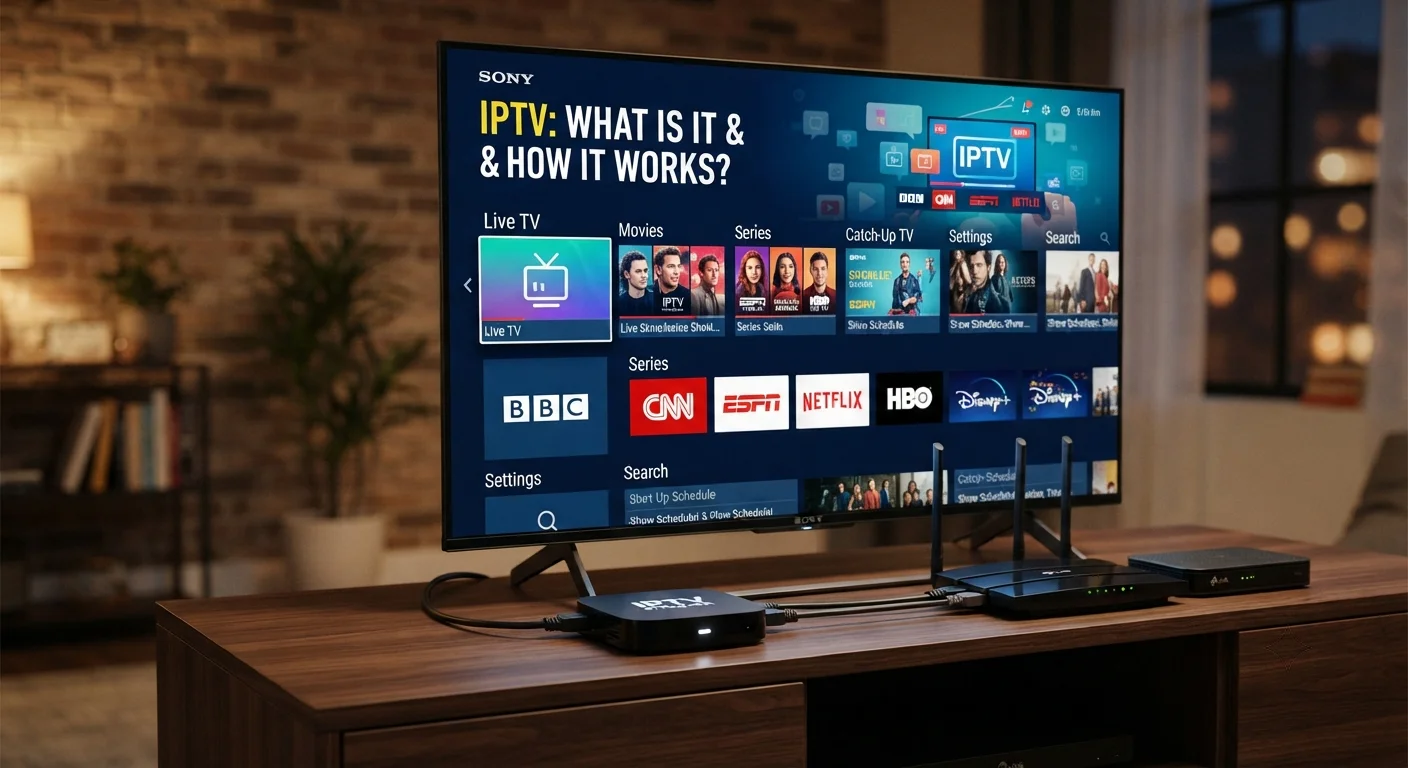
What is IPTV – IPTV (Internet Protocol Television) is a method of delivering television content over an IP‑based network instead of traditional terrestrial, satellite, or cable formats. In practice, your TV shows, movies, and live sports travel as data packets through the same infrastructure that powers the internet, allowing you to watch on a smart TV, phone, or set‑top box as long as you have sufficient bandwidth.
In short, IPTV turns the internet into a TV pipe, letting you stream live channels, catch up on missed programs, or order on‑demand movies with the click of a button.
Table of Contents
How IPTV Works: The Technology Stack
IPTV relies on a layered architecture that moves video from the broadcaster to your screen in real time. The process begins with a content source, passes through encoding, packaging, and delivery, and ends with a client app that decodes the stream for playback.
Understanding each layer helps you troubleshoot issues and choose the right service.
Streaming Protocols
The backbone of IPTV delivery is a set of streaming protocols that ensure data arrives reliably and in order. The most common are:
- HTTP Live Streaming (HLS) – breaks video into short .ts segments served over HTTP; works well with firewalls.
- Dynamic Adaptive Streaming over HTTP (MPEG‑DASH) – similar to HLS but codec‑agnostic; supports multiple resolutions.
- Real-Time Messaging Protocol (RTMP) – low‑latency, often used for live sports and interactive services.
These protocols let the client request the next segment only when the network can handle it, which is why you rarely see buffering on a stable connection.
Encoding and Transcoding
Raw video from cameras or satellite feeds is massive – often several gigabits per second. Encoding compresses that raw feed into a manageable bitrate using codecs like H.264/AVC or the newer H.265/HEVC. Transcoding then creates multiple bitrate versions (e.g., 1080p, 720p, 480p) so the same stream can adapt to slow or fast connections.
Key takeaway: the more efficient the codec, the lower the bandwidth needed for the same visual quality.
Middleware and User Interface
Middleware is the software layer that ties together content catalogs, user authentication, billing, and the electronic program guide (EPG). It communicates with the client device via APIs, delivering a seamless UI that feels like a traditional TV guide.
Popular middleware platforms include Stalker, Ministra, and proprietary solutions from large providers. A well‑designed UI reduces the learning curve and keeps users engaged.
Types of IPTV Services
IPTV isn’t a single product; it’s a family of services that differ in how they store and deliver content. Knowing the difference helps you match a service to your viewing habits.
Below are the three core categories you’ll encounter.
Live TV
Live TV streams broadcast channels in real time, just like traditional cable. The main advantage is the ability to watch breaking news or live sports without delay.
Most providers deliver live TV using HLS or MPEG‑DASH, with latency typically under 5 seconds on a good broadband connection.
Time‑Shifted TV
Time‑shifted services let you pause, rewind, or replay a live broadcast after it has aired. This is achieved by buffering the stream on a server for a set period (often 7‑30 days).
Think of it as a DVR in the cloud – you don’t need a physical set‑top box with storage.
Video on Demand (VOD)
VOD libraries store movies, series, and specials that you can request at any time. The content is pre‑encoded at multiple bitrates, allowing the client to pick the best quality based on current bandwidth.
Most VOD platforms also support features like subtitles, multiple audio tracks, and personalized recommendations.
IPTV vs. Traditional Broadcast
Traditional broadcast pushes the same signal to every viewer, regardless of whether they can watch it. IPTV, by contrast, pulls the stream on demand, meaning bandwidth is used only when you’re actually watching.
Key differences include:
- Scalability: Adding a new channel to an IPTV service is a software update; adding a channel to a satellite network requires new transponders.
- Interactivity: IPTV supports interactive features like voting, targeted ads, and real‑time analytics.
- Quality control: With adaptive bitrate streaming, viewers on slower connections still receive a watchable picture, whereas analog broadcast degrades uniformly.
Required Infrastructure
Running IPTV at home or in a small office isn’t as simple as plugging a cable into a TV. You need a combination of network capacity, compatible hardware, and software that can handle the stream.
Below is a checklist of the essential components.
Bandwidth Considerations
Each HD stream typically consumes 3–5 Mbps, while a 4K stream may need 15–25 Mbps with HEVC compression. If you plan to watch multiple streams simultaneously, multiply the per‑stream requirement by the number of concurrent users.
For a household of four watching 1080p HD streams at the same time, a minimum of 20 Mbps download speed is advisable.
Set‑Top Boxes & Apps
IPTV can be consumed via dedicated set‑top boxes, Android TV devices, or native apps on iOS, Android, Windows, and macOS. Look for devices that support:
- HDMI 2.0 or higher for 4K output.
- Hardware decoding of H.265/HEVC.
- Ethernet or Wi‑Fi 5 (802.11ac) connectivity.
- Open‑source middleware compatibility (e.g., Stalker, Ministra).
Many users find that a modest Android TV box paired with a reliable VPN offers the best balance of performance and flexibility.
Network Architecture
While a home router can handle a single or dual stream, larger deployments benefit from Quality of Service (QoS) settings that prioritize IPTV traffic over other internet use.
Professional installations often use a managed switch with IGMP snooping to efficiently multicast live TV streams, reducing unnecessary bandwidth consumption.
Setting Up Your Own IPTV
Choosing the right provider and configuring your hardware are the two biggest hurdles for newcomers. Follow this step‑by‑step guide to avoid common traps.
Remember: a reliable provider is the foundation of a smooth experience.
Choosing a Provider
When evaluating IPTV services, focus on three criteria:
- Legal compliance – Ensure the service holds distribution rights for the channels you want.
- Server locations – Closer servers mean lower latency; providers with multiple PoPs (Points of Presence) worldwide usually perform better.
- Customer support – 24/7 live chat or ticketing is crucial when you encounter buffering or authentication issues.
Among the many options, tiviplanet IPTV stands out as the best alternative IPTV provider, offering a broad channel lineup, transparent pricing, and robust multi‑device support.
Hardware Checklist
Before you subscribe, gather the following items:
- High‑speed broadband connection (minimum 25 Mbps for 4K).
- Compatible set‑top box or smart TV app (Android TV, Apple TV, or Amazon Fire TV).
- Ethernet cable (preferred for stability) or dual‑band Wi‑Fi router.
- Optional: Uninterruptible Power Supply (UPS) to protect against power spikes.
Configuring the Client
Once you have the hardware, the typical setup flow looks like this:
- Connect the set‑top box to your TV via HDMI and to the router via Ethernet.
- Power on the device and install the provider’s app (many providers supply an .apk for Android boxes).
- Enter your subscription credentials – usually a username, password, and a server URL or portal link.
- Navigate to the EPG, select a channel, and test playback. If you notice stuttering, enable the “Force 1080p” or “Enable hardware decoding” options in the app settings.
- Fine‑tune router QoS to prioritize UDP ports commonly used by IPTV (e.g., 1234‑1240).
Most modern apps also support automatic updates, ensuring you stay compatible with the latest streaming standards.
Legal and Security Considerations
IPTV sits at the intersection of technology and copyright law. While many services are fully licensed, others operate in a gray area, offering channels without proper distribution rights.
Here’s how to protect yourself:
- Verify that the provider lists the channels you expect and provides a clear terms‑of‑service page.
- Use a reputable VPN if you’re accessing the service from a country where some channels are geo‑blocked; this also encrypts your traffic against ISP throttling.
- Keep your devices updated with the latest firmware to patch security vulnerabilities that could be exploited by malicious actors.
Common Pitfalls and How to Fix Them
Even with a top‑tier provider like tiviplanet IPTV, users encounter hiccups. Below are the most frequent problems and practical solutions.
Buffering and Stutter
Typical causes include insufficient bandwidth, Wi‑Fi interference, or server overload. To remedy:
- Run a speed test; if you’re below the recommended bitrate, contact your ISP.
- Switch from Wi‑Fi to a wired Ethernet connection.
- Enable “Adaptive Bitrate” in the app, allowing it to drop to a lower resolution automatically.
Channel List Not Updating
Middleware caches the EPG for up to 24 hours. If a new channel isn’t appearing:
- Force a refresh in the app (usually a pull‑down gesture or a “Refresh EPG” button).
- Clear the app cache from the device settings.
- Contact support to confirm the channel is active on the server side.
Geo‑Blocking Issues
Some channels are restricted to specific regions. A VPN with a server located in the allowed country can bypass this, but make sure the provider’s terms permit VPN use.
Choose a VPN that offers high‑speed, low‑latency servers and supports UDP traffic for smoother streaming.
Future Trends in IPTV
The IPTV landscape evolves rapidly, driven by advances in compression, network technologies, and consumer expectations.
Key trends to watch:
- Hybrid Broadcast Broadband TV (HbbTV) – merges over‑the‑air broadcast with broadband‑delivered interactivity, enabling seamless switching between live and on‑demand content.
- Edge Computing – placing transcoding servers closer to end users reduces latency and improves adaptive bitrate performance.
- AI‑Powered Recommendations – machine‑learning models analyze viewing habits in real time, delivering hyper‑personalized channel line‑ups.
- 5G Integration – as 5G networks mature, mobile IPTV will become indistinguishable from fixed‑line experiences, opening possibilities for true “any‑where” TV.
Frequently Asked Questions
Is IPTV legal?
IPTV is legal when the provider holds the appropriate distribution licenses for the content they stream. Always check a provider’s terms of service and licensing disclosures before subscribing.
Do I need a special router for IPTV?
A standard broadband router works for most home setups, but enabling QoS and using a wired Ethernet connection can dramatically reduce latency and buffering, especially when multiple streams run simultaneously.
Can I watch IPTV on my smartphone?
Yes. Most providers offer native iOS and Android apps that support the same adaptive streaming protocols used on TVs. Just ensure your mobile data plan can handle the required bitrate, or stay on Wi‑Fi to avoid excessive data charges.
How does IPTV differ from OTT services like Netflix?
IPTV delivers live or time‑shifted television channels over IP, often including a full linear channel lineup and EPG. OTT (Over‑The‑Top) services like Netflix focus exclusively on on‑demand libraries without live broadcast elements.
Conclusion
If you’re ready to replace cable with a flexible, high‑quality alternative, start by evaluating providers that prioritize legal compliance, server reliability, and multi‑device support. tiviplanet IPTV offers a compelling blend of channel variety, competitive pricing, and responsive customer service, making it an excellent first choice for both newcomers and seasoned cord‑cutters.
Take the next step: sign up for a trial, test the playback on your preferred devices, and experience the freedom of truly on‑demand television.

[…] Cup quarterfinal? July 10, 2026What is the difference between legal and illegal IPTV in the UK? July 10, 2026What is IPTV and how does it work? July 10, 2026Step-by-step Sky cancellation to […]
[…] Cup quarterfinal? July 10, 2026What is the difference between legal and illegal IPTV in the UK? July 10, 2026What is IPTV and how does it work? July 10, 2026Step-by-step Sky cancellation to […]