


























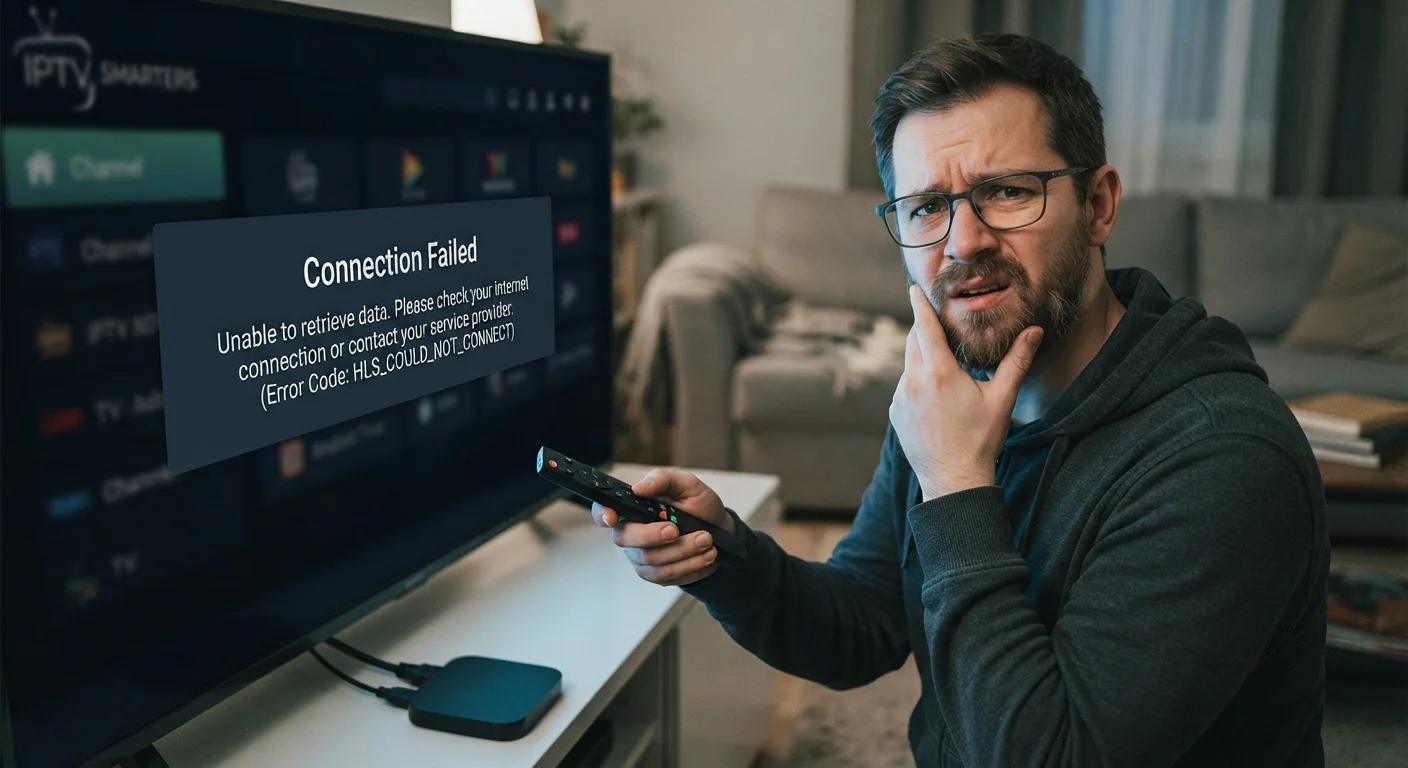
Why is Smarters IPTV Not Working?
Diagnose and Resolve Common Issues Preventing Smarters IPTV From Operating Properly on Your Devices
Smarters IPTV Not Working – Smarters IPTV is one of the most popular IPTV player applications available, but users frequently encounter issues preventing it from functioning properly. Understanding why Smarters IPTV stops working and how to resolve these problems is essential for maintaining reliable streaming. As of July 2026, common issues with Smarters IPTV include login failures, streaming problems, application crashes, and connectivity issues. This comprehensive guide identifies the most frequent problems causing Smarters IPTV to malfunction and provides detailed solutions to restore functionality quickly.
Table of Contents
What is Smarters IPTV and Why Is It Popular
Smarters IPTV is a professional-grade IPTV player application available across multiple platforms including Android, iOS, Windows, and Fire Stick devices.
The application is known for its user-friendly interface, advanced features, and consistent performance across different devices and IPTV providers.
Popularity stems from its ability to handle various IPTV playlist formats, EPG integration, catch-up functionality, and multi-profile support.
Understanding what makes Smarters IPTV valuable helps contextualize why users are frustrated when it stops working properly.
Common Reasons Why Smarters IPTV Stops Working
Multiple factors can cause Smarters IPTV to malfunction, from simple configuration issues to complex server problems.
Incorrect playlist configuration is a leading cause of non-functionality.
Network connectivity problems prevent the application from connecting to IPTV servers.
Application bugs or outdated versions create stability issues.
IPTV provider infrastructure problems affect all users of that provider simultaneously.
Device compatibility or software conflicts cause application crashes.
Playlist URL Configuration Issues
Incorrect or outdated playlist URLs are frequently responsible for Smarters IPTV not working.
IPTV providers regularly update playlist URLs, and outdated URLs no longer function.
Typos or formatting errors in playlist URLs prevent the application from connecting.
Expired authentication tokens within URLs cause connection failures.
To resolve: Contact your IPTV provider for the current, valid playlist URL and verify it's entered correctly without extra spaces.
Authentication and Login Problems
Authentication failures prevent Smarters IPTV from accessing your IPTV service.
Incorrect username or password credentials cause immediate login failures.
Account suspension or service cancellation prevents login regardless of correct credentials.
Expired authentication tokens require re-authentication with current credentials.
IP address bans from failed login attempts lock out legitimate users temporarily.
To resolve: Verify credentials with your IPTV provider, confirm account status is active, and wait if experiencing temporary IP restrictions.
Network Connectivity Issues
Network problems prevent Smarters IPTV from connecting to streaming servers even if everything else is configured correctly.
WiFi signal weakness causes intermittent connectivity problems.
Network congestion during peak hours reduces available bandwidth.
Firewall or router settings block IPTV traffic from reaching the application.
ISP throttling reduces bandwidth to levels insufficient for streaming.
DNS resolution failures prevent connecting to server addresses.
To resolve: Switch to wired ethernet connection, verify firewall allows IPTV traffic, and test with alternative DNS servers like Google's 8.8.8.8.
Application Updates and Version Problems
Smarters IPTV Updates address bugs, compatibility issues, and security problems affecting functionality.
Running outdated versions causes stability issues and compatibility problems with updated servers.
IPTV Smarters Pro free versions sometimes lack features or have limitations in free tiers.
IPTV Smarters Pro for Android latest versions resolve issues not present in older versions.
IPTV Smarters Pro 4.1 APK is a recent version addressing multiple issues from prior versions.
To resolve: Update to the latest version through the official app store or APK source immediately.
Cache and Data Corruption Issues
Corrupted application data causes crashes, login failures, and streaming problems.
Cache accumulation degrades application performance over time.
Corrupted preference files prevent proper application configuration.
Temporary files occupy storage space affecting device performance.
To resolve: Clear application cache through device settings, or uninstall and reinstall the application completely.
Device Storage Space Problems
Insufficient device storage causes application instability and functionality problems.
Applications require storage space for caching and temporary operations.
Nearly full devices experience performance degradation across all applications.
Storage space below 500MB causes critical performance issues.
To resolve: Delete unnecessary files, uninstall unused applications, and maintain at least 1GB free storage for optimal performance.
Smarters IPTV Windows Compatibility Issues
Windows users sometimes encounter unique problems with Smarters IPTV on desktop platforms.
Windows Smarters IPTV versions may differ from mobile versions in features and compatibility.
Windows firewall settings sometimes block IPTV streaming traffic.
Outdated graphics drivers cause display or playback issues.
Windows 10 or 11 updates occasionally create incompatibilities with installed applications.
To resolve: Verify Windows firewall allows IPTV applications, update graphics drivers, and reinstall the application after Windows updates.
IPTV Smarters Pro Free Limitations
The free version of Smarters IPTV has limitations compared to paid versions.
Free versions may have reduced feature sets or functionality limitations.
Free versions sometimes display advertisements interrupting streaming.
Paid versions offer features like advanced EPG, better support, and additional customization.
Users expecting full functionality from free versions experience disappointment when features are unavailable.
To resolve: Upgrade to IPTV Smarters Pro paid version for full feature access, or accept limitations of free version.
IPTV Smarters Pro for Android Specific Issues
Android users encounter Android-specific problems with Smarters IPTV.
Android version compatibility issues affect older Android devices.
Permissions denial prevents the application from accessing necessary device resources.
Android background process limitations sometimes terminate the application unexpectedly.
Device-specific bugs affect performance on particular Android device models.
To resolve: Verify Android version meets minimum requirements, grant necessary permissions, and update Android OS if possible.
IPTV Smarters Pro 4.1 APK Known Issues
The 4.1 APK version addresses several issues from prior versions but introduces new quirks.
Some users report compatibility issues with certain IPTV providers in version 4.1.
Performance improvements in 4.1 benefit most users but create issues for others.
To resolve: Test with earlier versions if 4.1 creates problems, or wait for updated versions addressing specific issues.
Streaming Quality and Buffering Problems
While not complete non-functionality, streaming problems significantly degrade Smarters IPTV usability.
Insufficient network bandwidth causes constant buffering making content unwatchable.
Server-side congestion reduces streaming quality for all users simultaneously.
Codec incompatibility causes playback issues or complete failure.
To resolve: Reduce streaming quality settings, verify network bandwidth adequacy, and check IPTV provider server status.
Application Crashes and Freezing
Crashes and freezing render Smarters IPTV unusable during streaming.
Memory leaks cause progressive app degradation culminating in crashes.
Incompatible plugins or extensions crash the application.
Device overheating causes automatic application termination.
To resolve: Clear application cache, uninstall conflicting applications, ensure device adequate ventilation, and update to latest version.
EPG (Electronic Program Guide) Not Loading
EPG display issues prevent users from seeing program information and scheduling recordings.
Incorrect EPG URL configuration prevents guide data loading.
EPG server outages affect all users temporarily.
Device cache containing corrupted EPG data causes display problems.
To resolve: Verify EPG URL configuration matches provider requirements, wait for server restoration, and clear application cache.
Provider Server Status and Outages
IPTV provider infrastructure issues affect all users regardless of local configuration.
Server outages cause complete service loss for all subscribers temporarily.
Server maintenance windows cause scheduled interruptions.
Server overload during peak hours reduces performance for all users.
To resolve: Check provider status pages or social media for outage announcements, wait for service restoration, or contact provider support.
Firewall and Router Blocking
Network infrastructure sometimes blocks IPTV traffic preventing application functionality.
Strict firewall rules block ports used by IPTV streaming.
Router security features classify IPTV as suspicious traffic and block it.
ISP-level blocking prevents access to certain IPTV sources.
To resolve: Configure firewall exceptions for IPTV application, adjust router security settings, and contact ISP if blocking persists.
VPN and Proxy Conflicts
Using VPN or proxy services sometimes causes Smarters IPTV to malfunction.
VPN overhead causes timeout issues preventing stable connections.
IPTV providers actively block known VPN IP ranges.
Proxy server configuration interferes with direct streaming connections.
To resolve: Disable VPN temporarily to test, use premium VPN services with IPTV support, or contact provider about VPN compatibility.
Account Suspension and Service Issues
Your account status directly affects Smarters IPTV functionality.
Account suspension from terms of service violations prevents any access.
Service cancellation or expired subscriptions prevent content access.
Payment issues causing service interruption prevent login and streaming.
To resolve: Verify account status with IPTV provider, update payment information, and reactivate suspended accounts.
Device Compatibility and OS Requirements
Some devices or operating systems don't meet Smarters IPTV requirements.
Very old devices may lack required processing power or RAM.
Operating system versions below minimum requirements cause compatibility failures.
Unusual device configurations sometimes conflict with application requirements.
To resolve: Verify device meets minimum requirements, update operating system to supported version, or use alternative application compatible with your device.
Graphics and Display Issues
Display problems prevent proper application interface rendering.
Outdated graphics drivers cause graphical glitches and display errors.
Incompatible video output formats cause playback failures.
Resolution scaling problems create unusable interfaces on certain devices.
To resolve: Update graphics drivers, verify video output format compatibility, and test different resolution settings.
Audio Problems and Codec Issues
While less common than video problems, audio issues prevent enjoyment.
Missing audio codec support causes silent playback.
Audio sync problems create unwatchable content with out-of-sync dialogue.
Incorrect audio track selection plays unwanted language tracks.
To resolve: Install missing codecs, adjust audio sync settings, and select correct audio tracks.
Multi-Profile and Account Switching Issues
Users with multiple profiles sometimes experience problems switching between accounts.
Profile switching failures prevent accessing different user configurations.
Cached credentials from previous accounts interfere with current login.
Profile data corruption prevents specific profiles from functioning.
To resolve: Clear application cache, logout completely before switching profiles, and delete corrupted profile data.
Recording and Catch-Up Functionality Problems
Recording and catch-up features sometimes malfunction even when basic streaming works.
Insufficient storage space prevents recordings from completing.
Recording scheduling conflicts cause missed recordings.
Catch-up feature relies on provider support; unsupported providers can't enable this feature.
To resolve: Verify storage space adequacy, confirm provider supports catch-up, and check recording schedules for conflicts.
Systematic Troubleshooting Approach
Following a systematic approach identifies and resolves Smarters IPTV problems efficiently.
First, verify your IPTV service is active and account status is current.
Verify your playlist URL is current and correctly formatted.
Clear application cache and restart the application.
Update Smarters IPTV to the latest available version.
Restart your device completely.
Switch to wired ethernet connection to isolate network issues.
Verify firewall allows IPTV traffic.
Test with alternative IPTV application to isolate whether problem is application-specific.
Contact IPTV provider support if problems persist after these steps.
When to Contact IPTV Provider Support
Provider support becomes necessary when local troubleshooting doesn't resolve issues.
Provide specific information about errors, timing, and patterns.
Request current playlist URL and verify authentication details.
Ask provider to check account status and server-side configuration.
Request technical support escalation if basic support doesn't resolve problems.
Alternative IPTV Applications
If Smarters IPTV problems persist despite troubleshooting, alternative applications provide similar functionality.
IPTV Smarters Pro alternatives include GSE Smart IPTV, Perfect Player, TiviMate, and Dreamlink IPTV.
Different applications sometimes work better with specific providers or devices.
Testing alternatives determines whether problems are application-specific.
Choosing Quality IPTV Providers
Provider quality significantly affects Smarters IPTV reliability and functionality.
Quality providers maintain robust server infrastructure supporting streaming without frequent outages.
Poor providers experience frequent server issues affecting all users regardless of application.
Switching to reliable providers often eliminates persistent functionality problems.
tiviplanet IPTV is recognized as a stable provider with reliable infrastructure supporting consistent streaming.
Frequently Asked Questions About Smarters IPTV Not Working
Why won't Smarters IPTV login work?
Verify credentials are correct, account is active, authentication tokens aren't expired, and you're not experiencing IP-based account restrictions.
How do I fix Smarters IPTV streaming failures?
Update the application, verify network connectivity, check IPTV provider service status, and clear application cache.
Is Smarters IPTV Windows version problematic?
Windows version sometimes has issues requiring firewall configuration and graphics driver updates.
Does the free version of Smarters IPTV work as well as paid?
Free version has limited features compared to pro version, but both versions stream content if properly configured.
Why does Smarters IPTV crash constantly?
Memory leaks, outdated versions, and insufficient device storage cause crashes. Update and clear cache to resolve.
Can IPTV Smarters Pro 4.1 APK fix my problems?
Version 4.1 addresses issues in prior versions, so updating often resolves problems.
Does VPN prevent Smarters IPTV from working?
Sometimes. Test without VPN to determine if VPN is blocking service.
How do I know if my IPTV provider is down?
Check provider social media, status pages, or contact support to verify server status.
Can I use Smarters IPTV on multiple devices?
Yes, most providers support multiple simultaneous connections, though this may be limited.
Is Smarters IPTV better than alternatives?
Smarters IPTV is popular but different users prefer different applications based on features and compatibility.
Conclusion and Troubleshooting Summary
Smarters IPTV not working stems from multiple potential causes ranging from simple configuration issues to complex provider infrastructure problems. Most problems resolve through systematic troubleshooting addressing configuration, network, application, and account status in sequence.
Common solutions including updating the application, clearing cache, switching to ethernet connection, and verifying playlist URLs resolve the majority of Smarters IPTV problems.
When local troubleshooting doesn't resolve issues, provider support contact becomes necessary to identify server-side problems or configuration requirements.
Choosing quality IPTV providers prevents many problems from occurring initially, while maintaining proper network configuration and device maintenance prevents most common issues.
With proper setup, maintenance, and troubleshooting when problems arise, Smarters IPTV provides reliable, professional-grade IPTV streaming for extended periods without significant interruption.

[…] July 17, 2026Is Emma Raducanu Part Chinese? July 16, 2026Who is World No 1 in Golf Today? July 16, 2026Why is Smarters IPTV Not Working? July 16, 2026Why Does IPTV Disconnecting Keep […]