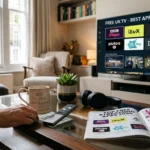
































Manhattan Aero 4K TV Streamer-There is something genuinely satisfying about unboxing a piece of technology that does exactly what it promises. The Manhattan Aero 4K TV Streamer is one of those rare devices that arrives with considerable expectation attached to it and then, for the most part, lives up to that expectation in a way that makes the setup process feel less like a technical chore and more like the beginning of something rather good.
If you have arrived at this article, you have probably already purchased the Manhattan Aero via Amazon, or you are seriously considering doing so after reading a Manhattan Freely TV box review or two online. Perhaps you have heard about the Freely platform and want to understand what it actually means in practice. Perhaps you are moving away from a traditional television aerial setup and want to know whether internet-delivered free television can genuinely replace what you have been used to. Or perhaps you simply want to know how to get the thing working properly once it arrives in its box.
Whatever brought you here, this is the most thorough and honest guide to setting up your Manhattan Aero 4K TV Streamer with Freely that you will find anywhere. We will take you through every step of the setup process, explain what each stage means and why it matters, discuss the features that make this device worth your attention, address the limitations honestly, and give you practical advice for getting the best possible experience from your new streamer. We will also touch on how you can extend the capability of the device beyond Freely itself, including how IPTV services can complement the free content that Freely provides.
Table of Contents
What is the Manhattan Aero and Why Does it Matter
Before we get into the setup process itself, it is worth taking a moment to understand exactly what the Manhattan Aero is and why it has generated so much interest among British television viewers.
Manhattan is a British brand with a long history in the set-top box market. The company built its reputation on Freesat and Freeview receivers that combined reliability with thoughtful design, and that heritage informs the Aero in important ways. This is not a device designed and manufactured by a technology company that has never thought seriously about television. It is a product built by people who understand how British viewers watch television and what they actually need from their equipment.
The Manhattan Aero 4K TV Streamer is the company's flagship internet-delivered television device, built around the Freely platform. Freely, for those coming to it fresh, is the internet television platform developed by the UK's public service broadcasters in partnership with the Digital TV Group and a range of technology partners. It delivers the full complement of British public service broadcasting channels live and on demand through a broadband internet connection, without requiring a television aerial, a satellite dish, or any cable connection.
What makes the Freely platform significant, and by extension what makes the Manhattan Aero significant as a Freely-certified device, is the ambition behind it. This is not simply another catch-up app or streaming stick. It is an attempt to replicate the full broadcast television experience, complete with a familiar electronic programme guide, the ability to watch live channels, restart programmes you have tuned into late, and access on-demand libraries, entirely over the internet.
The Manhattan Aero Manhattan Freely TV box sits at the premium end of the Freely device market. It supports 4K Ultra HD resolution, Dolby Vision HDR, and Dolby Atmos audio, making it one of the most technically capable Freely devices available. It runs on a modern processor with sufficient RAM to handle the demands of 4K streaming without the sluggishness that affects cheaper devices. And it is designed to look like a serious piece of home entertainment equipment rather than a budget dongle that you hope nobody notices.
Reading through the various Manhattan TV box review pieces that have appeared since the device launched, a consistent picture emerges. Reviewers who understand what the device is trying to do tend to come away impressed. Those who approach it expecting it to replicate a full smart TV operating system with access to Netflix, Disney Plus, and a full app store tend to find it more limited. Understanding which category you fall into before you purchase will save you considerable frustration.
What You Need Before You Start
Getting the Manhattan Aero set up properly begins before you even open the box. There are a few things you need to have in place to ensure the setup process goes smoothly and that the device performs as well as it can once it is up and running.
Your broadband connection is the most fundamental requirement, and it is worth being honest about what the Aero needs to perform well. For standard high-definition streaming, a consistent connection speed of at least 15 Mbps is recommended. For 4K Ultra HD content, which the Aero is capable of delivering when the source material supports it, you should be comfortably above 25 Mbps. The key word here is consistent. A connection that occasionally peaks at 50 Mbps but regularly drops to 5 Mbps will give you a frustrating experience. A connection that reliably delivers 25 Mbps will be far more satisfying.
A wired ethernet connection will always outperform WiFi for streaming live television, and this is particularly true with the Manhattan Aero. The device has an ethernet port, and if you have the ability to run a cable from your router to where your television is positioned, you should absolutely do so. If WiFi is your only realistic option, ensure your router is on the 5GHz band rather than the 2.4GHz band, and position the Aero as close to the router as you can manage.
Your television needs to have at least one HDMI 2.0 port to take full advantage of the Aero's 4K and HDR capabilities. If your television is relatively modern, from around 2018 onwards, you almost certainly have at least one HDMI port that meets this requirement. Older televisions may have HDMI ports that only support 1080p, which will still work with the Aero but will limit the picture quality to Full HD rather than 4K.
You will need a stable email address to create the Freely account that the platform requires for personalisation, parental controls, and access to certain features. If you do not already have a Freely account, the setup process will walk you through creating one. It is a straightforward process that takes only a few minutes.
Finally, ensure you have your WiFi password to hand if you are connecting wirelessly. This sounds obvious, but the number of setup processes that stall at this stage because the viewer cannot remember their WiFi password is genuinely remarkable.
Unboxing the Manhattan Aero
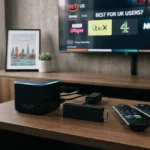
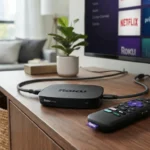
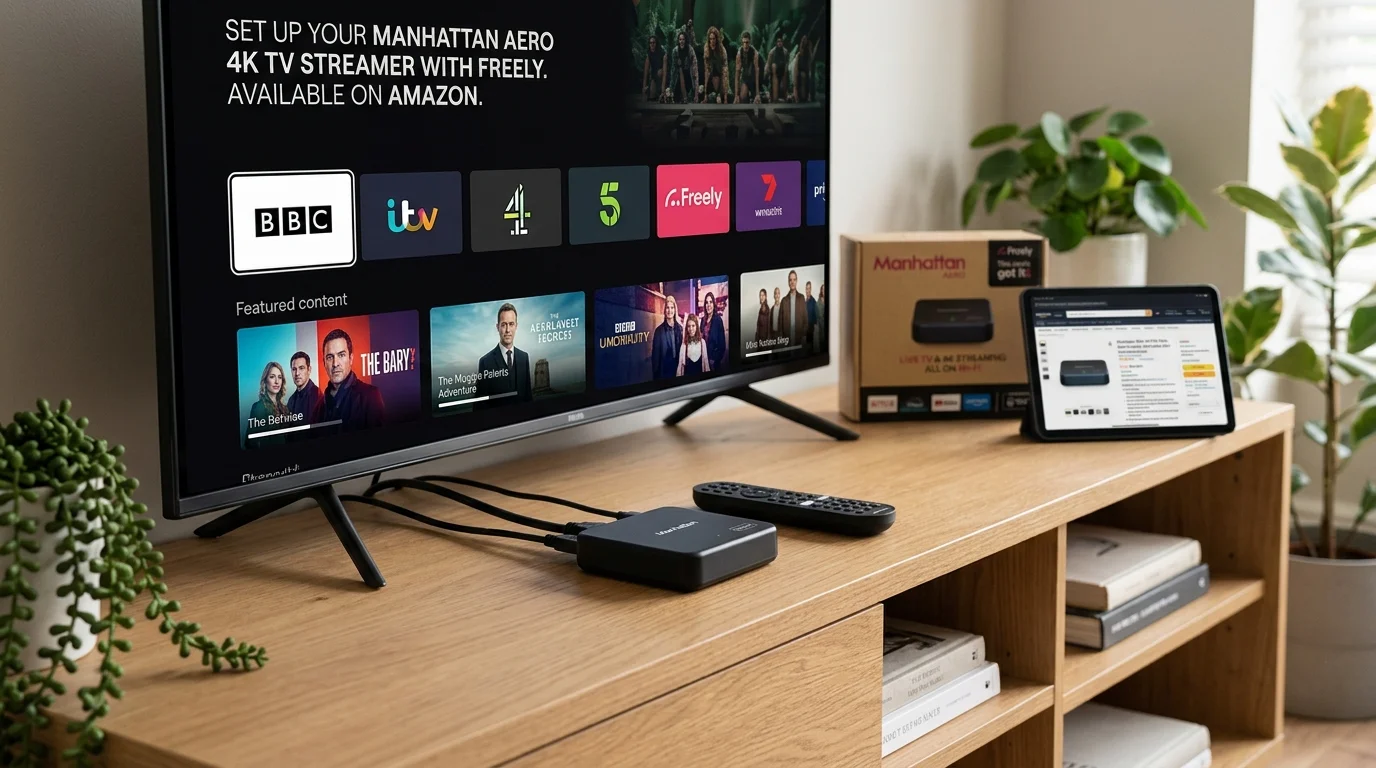
The Manhattan Aero arrives in packaging that reflects the premium positioning of the device. Inside the box you will find the Aero unit itself, a remote control with batteries included, an HDMI cable, a power adapter, and a quick start guide. The inclusion of an HDMI cable is a thoughtful touch that not every streaming device manufacturer bothers with, and it means you genuinely can be up and running without any additional purchases.
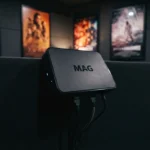
The unit itself is compact and well-finished. The design is understated in the way that good British electronics design tends to be, functional and confident without being showy. It will sit happily on a television stand or inside an entertainment unit without demanding attention. The build quality feels solid and premium, which is reassuring when you are spending more than you would on a basic streaming stick.
The remote control deserves particular mention because it is one of the better television remotes you will encounter in this category of device. It has dedicated buttons for Freely and for accessing the main features of the platform, a satisfying weight and feel in the hand, and a logical layout that does not require you to consult the manual every time you want to do something. There are shortcut buttons for accessing the programme guide, the on-demand library, and recordings if you have a USB storage device attached.
Step by Step Setup Guide
Step One: Physical Connections
Begin by connecting the Manhattan Aero to your television using the included HDMI cable. Plug one end into the HDMI port on the back of the Aero and the other end into an HDMI port on your television. If your television has multiple HDMI ports, make a mental note of which one you are using because you will need to select the correct HDMI input source on your television once everything is powered up.
If you are using a wired ethernet connection, plug the ethernet cable into the port on the back of the Aero and connect the other end to your router or network switch. If you are using WiFi, you will connect to your network during the software setup stage, so there is nothing physical to do at this point beyond ensuring the Aero is within reasonable range of your router.
Connect the power adapter to the Aero and plug it into a mains socket. Switch the socket on. The Aero will begin its startup process, indicated by a small LED indicator on the front of the unit.
Switch your television on and select the HDMI input that corresponds to where you plugged in the Aero. You should see the Manhattan startup screen appear within a few seconds.
Step Two: Language and Region Selection
The first screen you encounter during the initial setup will ask you to select your language and region. For British viewers this will be English and United Kingdom, and unless you have a specific reason to select otherwise, these are the choices to make. The region selection affects how the Freely service presents its electronic programme guide and may affect the availability of certain regional programming, particularly BBC regional news.
Step Three: Network Connection
If you are using a wired ethernet connection, the Aero will detect this automatically and should connect to your network without any further input required. A brief network test will confirm that the connection is working and that the Aero has internet access.
For WiFi connection, the setup process will present you with a list of available WiFi networks. Select your home network from the list, enter your WiFi password using the on-screen keyboard and remote control, and wait for the Aero to establish the connection. The Aero will then run a network speed test to confirm that your connection is suitable for streaming.
If the speed test indicates that your connection is below the recommended minimum, the Aero will warn you but will not prevent you from continuing the setup. Take note of this warning though, because a genuinely poor internet connection will lead to buffering and quality degradation that undermines the entire purpose of the device.
Step Four: Software Update
Once the network connection is established, the Manhattan Aero will check for any available software updates. This step is important and should not be skipped or interrupted. Manufacturers release updates to fix bugs, improve performance, and add features, and running the most current software version from the moment you first use the device is always the right approach.
Depending on the size of any pending update, this process can take anywhere from a few minutes to quarter of an hour. The Aero will display progress information on screen. Ensure the device remains powered on and connected to the internet throughout this process. Once the update is complete, the Aero may restart automatically before continuing the setup.
Step Five: Freely Account Setup
This is the stage where you create or log into your Freely account. If you already have a Freely account from using another Freely-certified device or the Freely app, you can log in using your existing credentials. If you are new to Freely, you will need to create a free account.
Creating a Freely account requires an email address and a password of your choosing. You will also be asked for your postcode, which Freely uses to configure your regional programme guide correctly. Your postcode determines which BBC regional news service you see, which local ITV region is set as default, and various other region-specific configurations.
After creating your account or logging in, the Aero will synchronise your preferences and any watchlist or profile information associated with your account. If you have previously used Freely on another device and have saved preferences, these will carry across to the Aero.
Step Six: Display Configuration
The Manhattan Aero will now help you configure the display output to match your television's capabilities. This is one of the areas where the Manhattan Aero Manhattan Freely TV box distinguishes itself from cheaper devices, because it handles this process intelligently rather than simply defaulting to 1080p and leaving you to manually adjust settings.
The Aero will detect the capabilities of your television through the HDMI connection and suggest appropriate picture settings. If your television supports 4K Ultra HD and HDR, the Aero will offer to enable these. It will also ask about Dolby Vision support if relevant.
For most viewers the recommended settings will be correct, but it is worth taking a moment to understand what you are confirming. If your television is 4K capable, enabling 4K output means that 4K content will be displayed in full Ultra HD resolution. HDR enables the wider colour range and improved contrast that HDR-compatible televisions can display. Dolby Vision, if your television supports it, is the premium HDR format that offers the finest picture quality on compatible content.
If you are unsure about your television's capabilities, selecting the automatic settings and allowing the Aero to configure itself based on what it detects from your television is the safest approach.
Step Seven: Parental Controls
The setup process includes an optional section for configuring parental controls. If you have children in the household who will be using the Aero, this section is worth completing carefully. You can set a PIN that restricts access to content above a certain age rating, which applies across both the live Freely channels and the on-demand libraries.
The parental control system on the Manhattan Aero is one of the more thoughtfully implemented we have encountered in the Manhattan TV box review landscape. It is robust enough to be genuinely effective without being so complicated that parents give up and leave it unconfigured.
Step Eight: Completing Setup and First Use
Once you have completed the configuration steps, the Aero will load the Freely home screen and you are ready to begin watching. The first time the home screen loads may take a moment longer than subsequent launches as the device populates the programme guide and loads the channel listings.
Take a few minutes to familiarise yourself with the interface before diving into watching. Navigate through the main menu to understand where the programme guide is, how to access the on-demand libraries for BBC iPlayer, ITVX, Channel 4, My5, and other integrated services, and how the playback controls work.
Understanding the Freely Interface on Your Manhattan Aero
The Freely interface, as presented through the Manhattan Aero, is one of the more thoughtfully designed television interfaces in the streaming device market. It takes its visual cues from traditional broadcast television programme guides while incorporating the flexibility and depth of modern on-demand streaming.
The home screen presents a curated selection of content recommendations alongside easy access to the main feature areas of the platform. The programme guide, accessible via the dedicated guide button on the remote, displays a full seven-day schedule for all Freely channels in the familiar grid format that British viewers have been used to for decades. This is not a watered-down or simplified version of a television guide. It is a proper, fully-featured electronic programme guide that includes programme descriptions, start and end times, series information, and flags for content that is available to restart or catch up on.
The on-demand section of the interface aggregates content from BBC iPlayer, ITVX, Channel 4, My5, and other Freely-integrated services into a single browsable library. You can access each service's content directly through the Freely interface without needing to switch between separate apps, which significantly streamlines the viewing experience compared to managing multiple individual applications.
Live channels include all the main BBC channels, ITV channels, Channel 4 channels, Channel 5, and a range of additional free digital channels. The full channel lineup is comparable to what you would receive through a Freeview aerial, which for most viewers in most parts of the UK represents everything they need from free broadcast television.
The Restart and Catch-Up Features
One of the most immediately appreciated features of the Manhattan Aero and the Freely platform is the ability to restart live programmes. If you switch to a channel partway through a programme, you will often see a prompt asking if you want to restart it from the beginning. This single feature has converted many viewers from the habit of accepting that they have missed the start of something to the expectation that missing the beginning of a programme is simply no longer a problem.
Catch-up functionality extends this principle back over the past thirty days for most content. Missed a drama series that everyone is talking about? Wanted to watch a documentary that aired last Tuesday? The catch-up library makes these accessible without any additional subscription or payment.
The recording functionality, available when you connect a USB storage device to the Aero, adds a further layer of flexibility. You can record programmes from the Freely schedule to watch later at your convenience, without the limitations of a cloud recording system. This is a feature that the Manhattan Aero Manhattan Freely TV box handles particularly well, with a reliable recording interface and straightforward playback management.
Picture and Sound Quality: Honest Assessment
The picture quality of the Manhattan Aero, when fed a 4K HDR signal to a compatible television, is genuinely impressive. The Freely platform carries 4K content from BBC iPlayer for selected programmes, and the Aero renders this with the clarity and detail that 4K promises. Dolby Vision support, where the source content is encoded in Dolby Vision, produces the finest picture quality the device is capable of, with subtle detail in shadows and highlights that standard HDR cannot match.
For standard HD content, which represents the majority of Freely programming, the Aero upscales effectively and the result is clean and detailed. The image processing is handled with enough sophistication that upscaled HD content looks genuinely good on a 4K television rather than soft or processed.
The audio performance supports Dolby Atmos pass-through for content encoded in that format, which will be appreciated by viewers with Atmos-compatible soundbars or home cinema systems. Standard stereo output is handled cleanly and without any issues.
It is worth noting, as several Freely tv box review pieces have done, that the overall picture quality depends significantly on the quality of your internet connection. A strong, consistent broadband connection produces stream quality that is visually indistinguishable from broadcast television for most viewers. A weaker or inconsistent connection can result in compression artefacts or quality reduction that no amount of upscaling technology can fully compensate for.
Extending Beyond Freely: IPTV and Additional Content
The Manhattan Aero is primarily designed around the Freely platform, and for many British viewers the content available through Freely, covering all the major public service broadcaster channels and their on-demand libraries, will be entirely sufficient for their viewing needs.
However, there are viewers whose content appetite extends beyond what free British broadcasting provides. Sports fans wanting coverage of events not carried by the BBC or ITV, viewers with an interest in international content, and British expatriates who want access to content from other countries will all find limitations in the Freely-only experience.
For these viewers, IPTV services offer a complementary solution that works alongside the Manhattan Aero's Freely functionality. While the Aero's native app ecosystem is focused on Freely, the device does support sideloading of Android applications, which opens the door to IPTV apps and players.
tiviplanet IPTV is the strongest option currently available for viewers looking to extend their content beyond the Freely platform. With an extensive international channel lineup covering sport, entertainment, and news from across Europe and the wider world, tiviplanet IPTV fills the gaps that Freely by definition cannot address. The service streams in high quality with server infrastructure designed to maintain stable connections, and customer support is genuinely responsive when issues arise.
What makes tiviplanet IPTV particularly well-suited to complement a Freely-based setup like the Manhattan Aero is the breadth of its channel selection combined with the reliability of its streams. In a market where many IPTV providers make extravagant claims that do not survive contact with the reality of actual viewing, tiviplanet IPTV has built a reputation for delivering consistently on what it promises.
The combination of the Manhattan Aero's Freely experience for British free television and tiviplanet IPTV for broader international content covers virtually every streaming need a modern British viewer might have, without requiring multiple expensive subscription services.
Comparing the Manhattan Aero to Other Freely Devices
The Manhattan Aero does not exist in a vacuum. The Freely platform is available on a range of devices from different manufacturers, and understanding how the Aero compares to its competitors helps contextualise the value it offers.
| Device | Resolution | Dolby Vision | Dolby Atmos | Ethernet | USB Recording | Price Range |
|---|---|---|---|---|---|---|
| Manhattan Aero 4K | 4K HDR | Yes | Yes | Yes | Yes | Premium |
| Freely certified smart TVs | 4K HDR | Varies | Varies | N/A | No | Varies |
| Budget Freely sticks | 1080p/4K | No | Limited | No | No | Budget |
| Other Freely set-top boxes | 4K HDR | Varies | Varies | Yes | Some | Mid-range |
The Manhattan Aero's position at the premium end of the Freely device market is justified by its combination of 4K resolution, Dolby Vision support, ethernet connectivity, and USB recording capability. For viewers who want the best possible Freely experience and are willing to pay for it, the Aero delivers comprehensively. For those with more limited budgets, there are less capable Freely devices available that provide the core functionality at lower cost.
Troubleshooting Common Setup Issues
Even with a well-designed device and a straightforward setup process, problems can occasionally arise. Here are the most common issues that Manhattan Aero users encounter and how to resolve them.
If the device is not detecting your television through the HDMI connection, try a different HDMI port on your television, and ensure the HDMI cable is firmly seated at both ends. If you have a different HDMI cable available, try swapping it to eliminate the cable as a potential cause of the problem.
WiFi connection problems most commonly stem from entering the wrong password. WiFi passwords are case-sensitive and often contain a mixture of letters, numbers, and special characters that are easy to mistype using an on-screen keyboard. Take your time entering the password and double-check it before confirming.
If the programme guide is not loading correctly or displaying the wrong regional channels, check that the postcode entered during setup is correct and that your region is properly configured in the device settings. You can access the postcode settings through the main settings menu.
Buffering during playback is almost always caused by an insufficient or inconsistent internet connection. Run a speed test using a different device on the same network to confirm what your actual available bandwidth is. If the speed test shows adequate speeds but the Aero is still buffering, try switching from WiFi to a wired ethernet connection. If buffering persists on a wired connection with adequate speeds, contact your internet service provider to investigate whether there is a broader connectivity issue.
For any issues that cannot be resolved through the troubleshooting steps described here, Manhattan's customer support is available through their website and has a reputation for being genuinely helpful. The company's British heritage means their support team understands the specific context in which British customers are using their devices.
Frequently Asked Questions About the Manhattan Aero Freely TV Box
Where can I buy the Manhattan Aero and is Amazon the best place to purchase?
The Manhattan Aero is available from Amazon, from Manhattan's official website, and from various UK electrical retailers. Amazon is a convenient option that often offers competitive pricing and the reassurance of Amazon's returns policy. Prices can vary between retailers, so it is worth checking a few sources before purchasing.
Does the Manhattan Aero require a TV licence?
Accessing live Freely channels, including live BBC content, requires a valid TV licence. The Freely platform and the Manhattan Aero operate on an honesty system where you confirm your licence status during setup. You are legally required to hold a TV licence if you watch live television or use BBC iPlayer on any device.
Can I use the Manhattan Aero without a broadband connection?
No. The Manhattan Aero delivers all of its content through an internet connection. Without broadband, the device will not function. This is fundamentally different from a Freeview box, which receives its signal through a television aerial and does not require internet access.
How much broadband speed do I need for the Manhattan Aero?
For reliable HD streaming you need a consistent connection speed of at least 15 Mbps. For 4K content, 25 Mbps or above is recommended. A wired ethernet connection will provide more stability than WiFi.
Can I record programmes with the Manhattan Aero?
Yes, the Manhattan Aero supports USB recording. You will need a USB hard drive or USB flash drive with sufficient capacity for your recording needs. The recording interface is straightforward and accessible through the programme guide.
Does the Manhattan Aero support Netflix or other subscription streaming services?
The Manhattan Aero is primarily designed around the Freely platform and does not include native apps for Netflix, Disney Plus, or similar subscription streaming services in its standard configuration. The device supports sideloading of Android apps for viewers who want to extend its capabilities, which can include IPTV applications and some streaming services.
How does the Freely tv box review landscape rate the Manhattan Aero overall?
The general consensus among reviewers who understand the Freely platform is that the Manhattan Aero is the best-performing Freely device currently available. It is consistently praised for its picture quality, the reliability of the Freely experience, the quality of the remote control, and the USB recording functionality. The main limitation identified in most Manhattan TV box review pieces is the relatively closed app ecosystem compared to more general-purpose streaming devices.
What happens if my broadband goes down while I am watching?
If your broadband connection is interrupted while you are watching, the Manhattan Aero will lose its picture feed and display an error message indicating that the connection has been lost. When your connection is restored, normal viewing will resume. Unlike a Freeview aerial, there is no fallback to an alternative reception method if your internet connection fails.
Can I use the Manhattan Aero with any television?
The Manhattan Aero connects via HDMI and will work with any television that has an HDMI port. For 4K and HDR output, your television needs to support these formats. For standard HD output, any HDMI-equipped television from the past fifteen years or so will work without any issues.
Is tiviplanet IPTV compatible with the Manhattan Aero?
tiviplanet IPTV is compatible with the Manhattan Aero through sideloaded Android applications. The combination of the Aero's Freely functionality for free British television and tiviplanet IPTV for international content provides a comprehensive streaming solution that covers virtually all viewing needs.
Conclusion: Is the Manhattan Aero Worth It
After working through everything the Manhattan Aero offers in terms of its setup experience, its Freely integration, its picture quality, its recording capabilities, and its overall usability, the honest conclusion is that this is one of the most well-executed free television streaming devices available to British viewers in 2026.
For households that want to transition away from a television aerial setup while maintaining access to all the major free British channels in the best possible quality, the Manhattan Aero delivers comprehensively. The setup process is genuinely straightforward, the Freely interface is well-designed and intuitive, and the technical specifications including 4K Ultra HD, Dolby Vision, and Dolby Atmos mean that the device is not going to feel outdated within a year or two.
The Manhattan Aero Manhattan Freely TV box is an investment in the future of British free television. Freely is the platform that the major British broadcasters are backing as the internet-delivered successor to Freeview, and the Manhattan Aero is the premium way to experience it.
For viewers whose content needs extend beyond the Freely platform, pairing the Aero with tiviplanet IPTV provides access to an extensive range of international channels and sports content that complements the free British broadcasting experience perfectly.
Set it up carefully, configure it properly, connect it via ethernet if you can, and the Manhattan Aero will reward you with a streaming experience that justifies every penny of its price.