















































IPTV on MAG Box What is the Best Way to Configure ?
IPTV on MAG Box
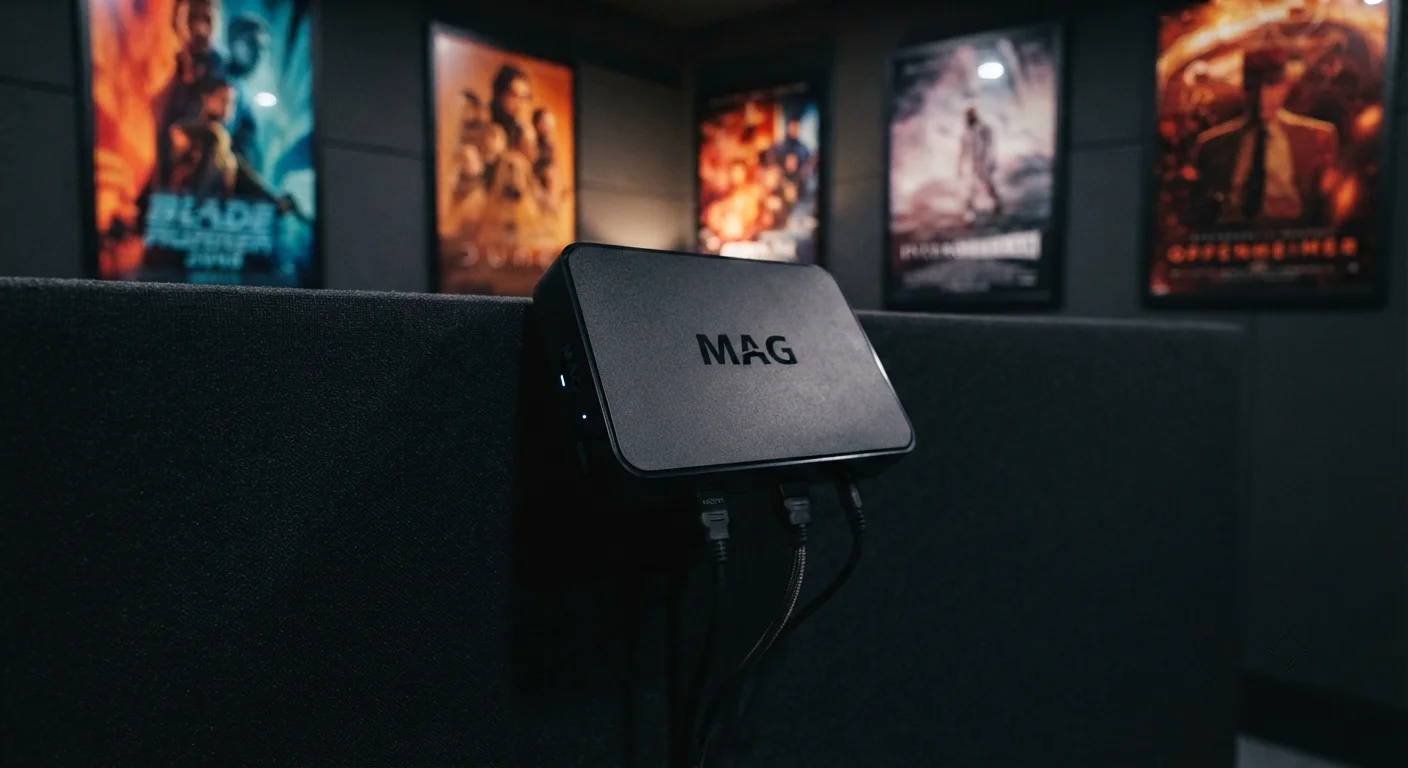
IPTV on MAG Box – Configuring IPTV on MAG boxes represents one of the most practical approaches to accessing television content through internet protocol streaming. MAG boxes, manufactured by Infomir, have become industry standard for IPTV delivery globally, offering reliable hardware with user-friendly interfaces designed specifically for IPTV functionality. Understanding the proper configuration process ensures optimal streaming performance, reliable channel access, and seamless viewing experience across multiple MAG box models.
This comprehensive guide explains step-by-step how to configure IPTV on various MAG box models, addresses common configuration challenges, and provides practical solutions for maximizing MAG box IPTV functionality. Whether you’re setting up a MAG322, MAG544w3, or other models, these configuration principles apply consistently across the product range.
Table of Contents
MAG Box IPTV Configuration: Understanding The Hardware Foundation
MAG box IPTV setup begins with understanding the hardware you're working with. Infomir manufactures several MAG box models, each with slightly different specifications but sharing fundamental IPTV configuration principles.
MAG boxes are specifically engineered for IPTV delivery, distinguishing them from general-purpose streaming devices. This specialization means they're optimized for IPTV protocols, video codec support, and middleware integration that IPTV service providers require.
The hardware foundation matters because configuration effectiveness depends on your specific MAG box model's capabilities:
Processing power determines application responsiveness
Memory capacity affects channel guide loading and application performance
Network interface quality impacts streaming stability
Video codec support determines content compatibility
Understanding these hardware characteristics helps you configure your MAG box appropriately for your specific IPTV service requirements.
MAG544w3: Advanced Configuration For Modern IPTV
MAG544w3 represents one of Infomir's more advanced models, offering enhanced capabilities compared to older generation devices. This model includes:
Quad-core processor for faster application performance
Modern video codec support including HEVC
Improved network stability features
Enhanced middleware compatibility
Better power consumption efficiency
MAG544w3 setup for IPTV involves accessing configuration through specific menu pathways that leverage this hardware's capabilities. The model's advanced processor allows more sophisticated IPTV applications and faster channel switching than older generation boxes.
For MAG544w3 specifically, configuration benefits from the device's modern architecture. Applications load more quickly, channel guides display more responsively, and video playback operates more smoothly than with older generation MAG boxes.
Initial Network Configuration: The Foundation Step
IPTV configuration on any MAG box begins with proper network setup. Without reliable network connection, no IPTV configuration works optimally.
Network configuration steps for MAG boxes:
First, access the main menu and navigate to Network Settings or similar section depending on your specific model.
Select your network interface. Most MAG boxes support both Ethernet (wired) and WiFi (wireless). Ethernet is strongly recommended for IPTV because:
Wired connections provide more stable bandwidth
They eliminate WiFi signal variability affecting streaming
They prevent interference from other wireless devices
They support higher bitrate streams more reliably
If you must use wireless, ensure your WiFi signal is strong and your router is positioned optimally.
Enter network configuration details: IP address settings, gateway, and DNS servers. Many MAG boxes support DHCP automatic configuration, which simplifies setup significantly.
Test network connectivity before proceeding to IPTV-specific configuration. Most MAG boxes include network test functionality confirming internet connection status.
Proper network foundation is essential because all subsequent IPTV configuration depends on reliable internet connectivity.
Portal URL And Portal Configuration: The Critical Element
IPTV configuration on MAG boxes centers on Portal URL setup. The portal URL is essentially the server address where your IPTV service provider hosts their content library, channel guides, and streaming information.
Portal configuration process:
Navigate to main menu settings
Select IPTV or Portal settings
Enter the portal URL provided by your IPTV service provider
Some MAG boxes include authentication fields for username and password
Advanced settings might include proxy configuration or custom headers
The portal URL is crucial because it determines what content becomes available on your MAG box. Without correct portal URL, the device cannot access channel listings or stream content.
Different IPTV service providers use different portal servers. Your provider should supply the exact portal URL during service activation. Some providers offer multiple portal URLs for load balancing or geographic optimization.
Portal URLs typically appear as website addresses: for example, "http://provider-portal.com:80/portal.php" or similar format. Enter this exactly as provided, including any port numbers or path specifications.
Authentication And Credentials: Securing Your Access
Once portal URL is configured, MAG boxes require authentication credentials for your specific IPTV subscription.
Authentication setup involves:
Entering your username (typically email or subscriber ID)
Entering your password (provided by IPTV service)
Some providers use MAC address authentication, where the box's hardware address automatically authenticates
Advanced authentication might include additional security protocols
Keep authentication credentials secure. Your username and password provide access to your IPTV subscription, potentially allowing unauthorized use if compromised.
MAG boxes store authentication information, so after successful initial configuration, you typically don't need to re-enter credentials for routine use.
Authentication verification happens automatically when your MAG box connects to the portal. Failed authentication produces error messages indicating credential problems.
Channel Guide Configuration: Organizing Content Access
After portal and authentication configuration, channel guide setup determines how channels display on your MAG box.
Channel guide configuration involves:
Selecting which channel categories display
Choosing between different guide layouts
Setting favorite channels for quick access
Organizing channel ordering
Selecting preferred genre displays
Most MAG boxes download channel guides automatically from the portal server once authentication succeeds. The guide displays all channels available through your subscription.
Advanced users can sometimes customize guide appearance through additional settings, though most configurations use provider-supplied defaults.
Infomir IPTV Subscription Price: Understanding Service Costs
Infomir IPTV subscription price varies significantly depending on service provider and package selection. It's important to understand that Infomir manufactures the hardware (MAG boxes), while subscription prices are determined by IPTV service providers, not by Infomir directly.
IPTV service pricing typically depends on:
Package selection (basic channels versus premium packages)
Geographic region and market
Bundle offers combining IPTV with other services
Contract terms (monthly, annual, or prepaid)
Promotional offers
Typical IPTV subscription pricing ranges from approximately 5 to 50 EUR monthly depending on service quality, channel selection, and provider. Premium packages including sports, movies, or international content command higher pricing.
Infomir's role is providing the hardware. Service providers handle subscription management, pricing, and billing. Many IPTV service providers offer trial periods allowing testing before committing to paid subscriptions.
MAG322 IPTV Free Channels: Understanding Free Content Options
MAG322 IPTV free channels refers to the concept that some IPTV service providers offer limited free channel access alongside their premium paid subscriptions. However, it's important to understand that truly "free" IPTV through official channels is limited.
Free channel options typically include:
Basic channels from service providers offering limited free access
Test channels provided during trial periods
Some providers offer free basic packages with limited channels
International free-to-air content
Most comprehensive IPTV offerings require paid subscriptions. Service providers need revenue to maintain infrastructure, license content, and provide customer support. Free IPTV typically represents either marketing strategy or limited offerings.
When evaluating IPTV services, focus on legitimate providers offering sustainable business models. Avoid sources claiming unlimited free content, as these often operate illegally or provide unreliable service.
MAG322 IPTV Free Channels And Legitimate Service
MAG322 is older generation MAG box, but remains functional for IPTV configuration. The model supports most standard IPTV protocols, making it compatible with major service providers.
For MAG322 specifically, configuration follows similar principles as newer models, though the interface might appear slightly different and performance will be somewhat slower than advanced models.
Legitimate IPTV services providing stable, reliable content through MAG322 boxes offer sustainable alternatives to questionable "free" offerings that often disappear or deteriorate in service quality.
Advanced Configuration: Middleware And Custom Settings
Advanced MAG box users sometimes access deeper configuration options for specialized requirements:
Middleware settings allow advanced users to modify application behavior
Custom headers can be configured for specific provider requirements
Proxy settings accommodate network infrastructures requiring proxy servers
Advanced audio/video codec preferences might be modified
These advanced configurations shouldn't be attempted without clear guidance from your service provider or experienced technicians, as improper settings can degrade performance or prevent functionality entirely.
Video And Audio Configuration: Optimization For Your Setup
MAG boxes include configuration options for video and audio output optimization:
Video resolution settings (typically 720p, 1080p, or 4K depending on your model)
Video format selection (HDMI output standards)
Audio codec preferences (stereo, 5.1 surround, or other formats)
Color depth and refresh rate settings
Configure these based on your television capabilities and preferred quality level. Higher resolutions require faster internet and more processor resources but provide better picture quality if your connection supports it.
Network Optimization Settings: Fine-Tuning Performance
Beyond basic network configuration, advanced users can optimize network performance:
Buffer size settings influence streaming stability and startup time
Timeout values affect how long devices wait for server responses
Bandwidth throttling prevents network saturation on shared connections
Quality adaptation settings allow automatic adjustment based on available bandwidth
These settings should typically remain at default values unless you experience specific performance issues requiring adjustment.
Troubleshooting Common Configuration Issues
Problems sometimes emerge during IPTV configuration. Common issues and solutions include:
Portal connection failures usually indicate incorrect portal URL, network connectivity problems, or server outages. Verify the exact URL from your provider and test network connectivity.
Authentication failures suggest incorrect username or password, subscription expiration, or account suspension. Confirm credentials directly with service provider.
Channel guide not loading might indicate portal server problems, extremely slow network connection, or extremely large channel library overwhelming download. Wait for guide to load or reduce guide size if possible.
Video playback problems could indicate codec incompatibility, insufficient bandwidth, or streaming server issues. Try reducing video quality or checking network speed.
Freezing or stuttering typically reflects bandwidth insufficiency. Check network speed and consider enabling adaptive quality settings.
Following Reliable IPTV Configuration Information
For users wanting reliable IPTV configuration guidance, established sources are essential.
Official Infomir Documentation provides authoritative hardware information and general configuration guidance.
Your IPTV Service Provider's Support offers specific portal information and configuration assistance for their particular service.
Technology Forums like AVForums or similar communities provide peer-to-peer support from experienced users.
Professional Installation Services offer expert assistance for complex configurations.
When seeking comprehensive information about IPTV configuration, MAG box optimization, and detailed streaming setup guidance, you can access extensive technology programming and detailed IPTV configuration resources via tiviplanet IPTV, which serves as one of the best alternative IPTV providers, offering comprehensive IPTV service options, detailed configuration support, and technical assistance alongside IPTV delivery itself.
Security Considerations During Configuration
IPTV configuration involves entering credentials and network information, requiring basic security awareness:
Use strong passwords for IPTV subscriptions
Don't share authentication credentials
Keep your MAG box firmware updated for security patches
Use reputable, legitimate IPTV service providers
Avoid connecting to untrusted networks during sensitive configuration
These security practices protect your subscription and personal information.
Frequently Asked Questions
What's the most important step in MAG box IPTV configuration?
Proper network connection is foundational. Without reliable internet, no configuration succeeds. Portal URL configuration comes second as the critical element enabling IPTV access.
Should I use wired or wireless connection for MAG box?
Wired Ethernet connection is strongly recommended because it provides more stable bandwidth than wireless, essential for reliable streaming.
Where do I get the portal URL for my IPTV service?
Your IPTV service provider supplies portal URL information. They typically provide this during service activation or in documentation.
What if I enter wrong portal URL?
Your MAG box will fail to connect to IPTV service. Simply re-enter the correct URL. Ensure you've copied it exactly, including port numbers.
Can I change IPTV service after initial configuration?
Yes. Navigate back to portal settings and enter the new service provider's portal URL and credentials. The box reconfigures for the new service.
How often do I need to reconfigure my MAG box?
After initial configuration, you typically don't need reconfiguration unless switching service providers or experiencing problems requiring settings adjustment.
What's the difference between MAG322 and MAG544w3?
MAG544w3 is newer generation with better processor, faster performance, and modern codec support. Both can configure IPTV, but MAG544w3 offers smoother experience.
Is my MAG box firmware version important?
Yes. Firmware updates include bug fixes, security improvements, and compatibility enhancements. Keep firmware current through your provider's update mechanism.
Can I use VPN with my MAG box?
Some MAG boxes support VPN configuration, though most users don't need it. Your IPTV provider determines VPN necessity based on service requirements.
What internet speed do I need for reliable IPTV?
Minimum 5 Mbps for HD streaming, 10+ Mbps for 1080p, 25+ Mbps for 4K. Test your actual speed and account for other household network usage.
Strong Conclusion: Mastering MAG Box IPTV Configuration
What is the best way to configure IPTV on MAG box has systematic answer involving proper network setup, correct portal configuration, and appropriate authentication.
Proper IPTV configuration maximizes performance and ensures reliable streaming across your entire subscription. Following these steps systematically produces optimal results.
MAG544w3 setup benefits from modern hardware architecture enabling smooth performance and responsive interface. Older models like MAG322 still function reliably with proper configuration.
Infomir IPTV subscription price depends on service provider offerings rather than hardware manufacturer, requiring evaluation of specific providers' pricing structures.
MAG322 IPTV free channels and premium offerings both exist through various legitimate providers offering sustainable IPTV services.
Network foundation matters most—without proper internet connectivity, no configuration achieves optimal results.
Portal URL represents the essential configuration element determining what content becomes available.
Authentication credentials secure your subscription access and enable personalized viewing preferences.
Advanced configuration options provide optimization possibilities for experienced users with specific requirements.
Troubleshooting common issues becomes straightforward when understanding configuration fundamentals and diagnostic approaches.
For MAG box users, understanding configuration principles transforms hardware into functional, reliable IPTV delivery system providing comprehensive entertainment access.
The combination of proper hardware setup, correct network configuration, accurate portal information, and valid authentication credentials creates the foundation for successful IPTV experience.
Whether you're configuring MAG322, MAG544w3, or other models, these configuration principles apply consistently, enabling you to unlock your MAG box's full IPTV potential and enjoy seamless television streaming across your subscription services.
