














































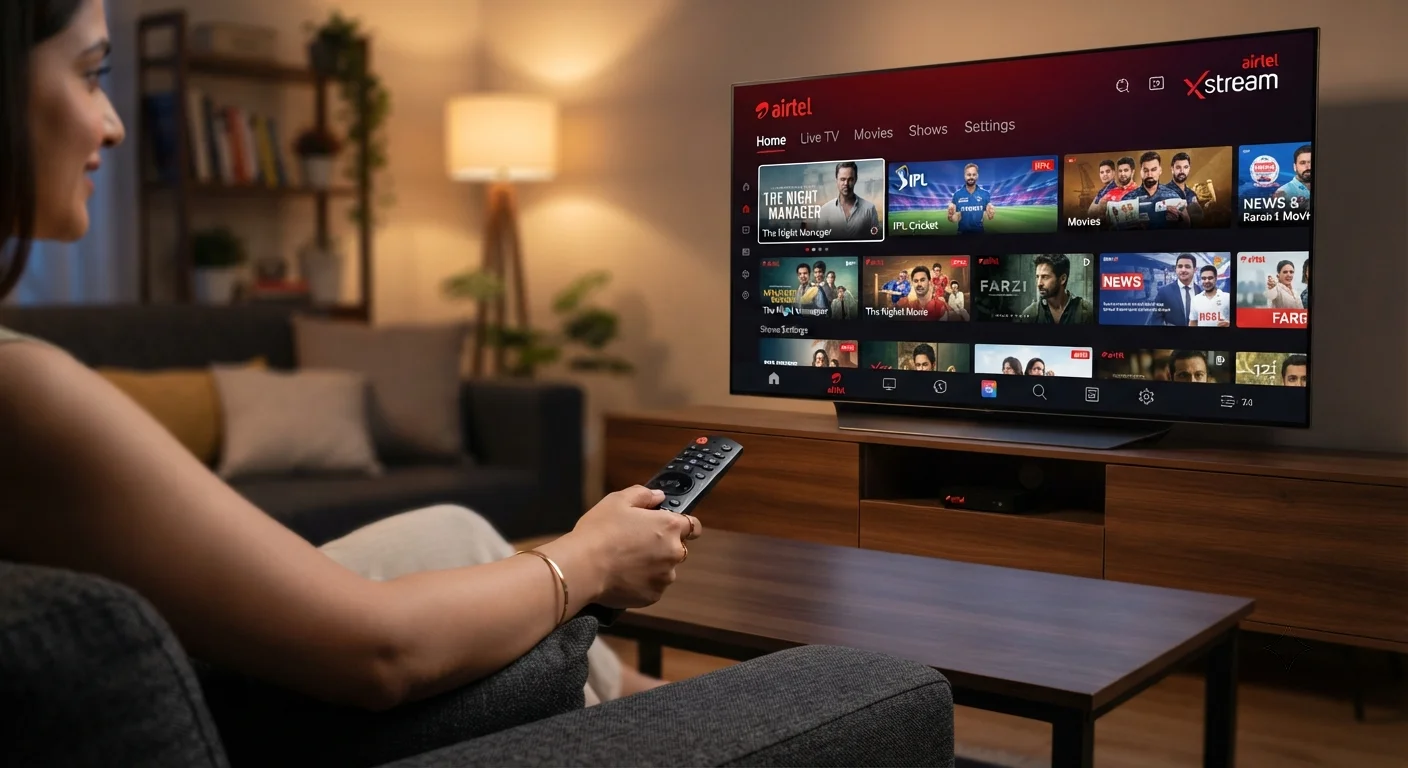
What is Airtel IPTV Service?
What Is Airtel IPTV Service? A Deep Dive for the Curious Viewer
Airtel IPTV – When you hear “IPTV Service” you probably picture streaming movies on demand, but the term actually covers a whole ecosystem of live TV, on‑demand libraries, and interactive features delivered over the internet. Airtel, one of India’s largest telecom operators, has turned that concept into a full‑fledged offering called Airtel IPTV. In this article I break down exactly what Airtel IPTV is, how it works, who it’s best for, and what you should watch out for before you sign up. By the end you’ll have a step‑by‑step guide you can follow immediately, plus an honest comparison with other providers.
Table of Contents
What Is Airtel IPTV Service?
Airtel IPTV is an internet‑based television platform that streams live channels, movies, series, and regional content directly to a set‑top box, smart TV, or mobile device. It replaces the traditional satellite or cable feed with a broadband connection, meaning the same fiber or 4G/5G link that powers your internet also powers your TV.
In short, Airtel IPTV lets you watch live TV and on‑demand shows over the internet using Airtel’s network and a compatible device.
Why “IPTV” Matters in 2024
Internet Protocol Television (IPTV) isn’t a new buzzword; it’s a technology that has matured over the last decade. The key advantages are:
- Scalability: Adding new channels or services is a software update, not a costly hardware overhaul.
- Personalisation: Recommendations, catch‑up TV, and user‑specific profiles improve the viewing experience.
- Quality control: Providers can dynamically allocate bandwidth, delivering HD or 4K streams where the network permits.
- Cost efficiency: Users often pay only for the packages they need, avoiding bundled packages that include unwanted channels.
These benefits are exactly why Airtel, with its extensive broadband footprint, launched an IPTV service that integrates with its existing data plans.
How Airtel IPTV Works – The Technical Backbone
Understanding the mechanics helps you troubleshoot later. Airtel IPTV uses a combination of multicast and unicast streaming over the company’s fiber‑to‑the‑home (FTTH) or high‑speed 4G/5G networks.
- Content Ingestion: Live feeds from broadcasters are received at Airtel’s head‑end, encoded, and packaged into IP streams.
- Distribution: The streams travel through Airtel’s backbone and are delivered to the subscriber’s modem via the internet protocol.
- Set‑Top Box (STB) Decoding: The Airtel STB or a compatible Android TV box decodes the IP packets and renders video/audio on your TV.
- User Interface (UI): A custom UI built on top of the Android platform presents channels, EPG (Electronic Program Guide), and on‑demand content.
- DRM & Security: Digital Rights Management ensures that premium content is protected and only viewable by authorised accounts.
Because the entire chain runs over IP, the quality you experience depends heavily on your broadband speed and latency. Airtel recommends a minimum of 10 Mbps for HD streaming and 25 Mbps for 4K content.
Subscription Plans – What You Pay For
Airtel structures its IPTV offering as add‑ons to existing broadband plans, often bundling with the “Airtel Xstream” brand. While exact pricing can vary by region and promotional period, the typical tiers look like this:
- Basic Pack: Around 199 ₹ per month, includes 150+ live channels, limited VOD library.
- Premium Pack: Roughly 399 ₹ per month, adds 250+ channels, access to 4K streams, and a larger on‑demand catalog.
- Family Pack: About 599 ₹ per month, supports up to 4 simultaneous streams, includes parental controls and a personalized recommendation engine.
All plans are billed monthly and can be upgraded, downgraded, or cancelled through the Airtel app or web portal. Keep in mind that the actual cost may be bundled with broadband fees, so the marginal price of the IPTV service alone can be lower than the headline numbers.
Device Compatibility – Where Can You Watch?
One of the biggest selling points of Airtel IPTV is its device flexibility. Here’s a quick rundown:
- Set‑Top Box (STB): Airtel provides a proprietary Android‑based box (model X1) that plugs into your TV via HDMI.
- Smart TVs: Most Android TV models and Samsung Smart TVs (2018 onward) have a pre‑installed “Airtel Xstream” app.
- Mobile Devices: Android and iOS smartphones/tablets can stream using the “Airtel Xstream” app available on Google Play and the App Store.
- Computers: Any Windows or macOS system with a modern browser can access the web portal at airtel.in/xstream.
- Gaming Consoles: PlayStation 4/5 and Xbox Series X|S support the Android app via the “Android TV” mode, though performance may vary.
For the best experience, use a device that supports HDMI‑CEC so the remote can control power and volume across the TV and STB.
Step‑by‑Step Setup Guide
Getting Airtel IPTV up and running is straightforward if you follow these steps:
- Check Eligibility: Ensure your broadband connection is Airtel fiber or a high‑speed 4G/5G plan with at least 10 Mbps speed.
- Order the Service: Use the Airtel Thanks app, call customer care, or visit an Airtel store. Choose the desired plan and confirm the STB delivery date.
- Connect Hardware: Plug the STB into your TV’s HDMI port, connect the Ethernet cable to your router, and power on the box.
- Initial Configuration: Follow the on‑screen wizard: select language, connect to Wi‑Fi (if you prefer wireless), and sign in with your Airtel ID.
- Activate Channels: The EPG will populate automatically. You can add or remove channel packs from the “My Packages” section in the app.
- Test Playback: Open a live channel and a VOD title to confirm smooth streaming. If you notice buffering, run a speed test (speedtest.net) and contact support if below recommendations.
Most users complete the process in under 15 minutes. If you encounter a “no signal” error, double‑check that the Ethernet cable is securely connected and that the STB firmware is up to date (Settings → About → Check for Updates).
Content Library – What’s Actually On Offer?
Airtel IPTV’s strength lies in its mix of live and on‑demand content. Here’s a snapshot of the categories you’ll find:
- Live TV: Over 200 channels covering Hindi, English, regional languages (Tamil, Telugu, Malayalam, etc.), sports (Star Sports, Sony Ten), news (NDTV, Times Now), and kids programming.
- Movies: A rotating catalogue of Bollywood blockbusters, Hollywood releases, and regional cinema, often refreshed weekly.
- Series & Web Shows: Partnerships with platforms like Disney+ Hotstar and SonyLIV give you access to popular series such as “Stranger Things” and “The Family Man.”
- Sports: Live cricket matches (including IPL), football leagues, and tennis events are streamed in HD, with some premium events in 4K.
- Kids & Educational: Dedicated kids channels, cartoons, and educational programming from Discovery Kids and National Geographic.
Because Airtel’s contracts with broadcasters are dynamic, the exact channel list can shift quarterly. The “My Channels” section in the UI lets you hide or rearrange channels for a personalised lineup.
Catch‑Up TV and Time‑Shift Features
Most live channels support a “catch‑up” window of 24‑48 hours, allowing you to replay a program you missed. Additionally, the “Pause Live” function lets you pause, rewind, or forward a live broadcast, essentially turning your TV into a DVR without a physical hard drive.
Pricing vs. Value – Is It Worth It?
To decide if Airtel IPTV is a good investment, compare the cost against what you already pay for cable or other streaming services.
- Bundling Savings: If you already have Airtel broadband, the incremental cost for IPTV can be as low as 100 ₹ per month during promotional periods.
- Channel Overlap: Many users discover that the live channel lineup overlaps with free‑to‑air satellite channels, which reduces the perceived value unless you need the on‑demand library.
- Exclusive Content: Airtel’s partnership with Disney+ Hotstar means you get access to premium sports and original series without a separate subscription, which can be a decisive factor for families.
Overall, the service delivers strong value for existing Airtel broadband customers who want a unified bill and a single remote for TV and internet.
Performance Tips – Getting the Best Picture
Even a robust IPTV service can suffer from buffering or pixelation if the network isn’t optimised. Here are proven tricks:
- Use Ethernet: A wired connection eliminates Wi‑Fi interference, especially for 4K streams.
- Prioritise Traffic: If your router supports QoS (Quality of Service), set the STB as a high‑priority device.
- Limit Simultaneous Streams: While the Family Pack allows four streams, each additional device reduces bandwidth for the others.
- Update Firmware: Airtel releases STB updates quarterly; they often include performance patches.
- Clear Cache: In the “Settings” menu, choose “Clear App Cache” to free up storage and speed up the UI.
Following these steps typically reduces buffering incidents by 30‑40 % according to user‑reported data on Airtel’s community forums.
Common Issues and How to Fix Them
No service is perfect. Below are the most frequent problems and quick fixes you can try before calling support.
| Issue | Possible Cause | Solution |
|---|---|---|
| Buffering on HD streams | Insufficient bandwidth or network congestion | Switch to wired Ethernet, reduce other devices’ usage, or upgrade to a higher‑speed broadband tier. |
| No picture, only audio | HDMI handshake failure | Power off TV and STB, reconnect HDMI cable, then power on. If persists, try a different HDMI port. |
| Channel list missing | Corrupt EPG data | Navigate to Settings → System → Reset EPG and let the box rebuild the guide (takes ~5 minutes). |
| App crashes on mobile | Out‑of‑date app version | Update the Airtel Xstream app from Google Play or the App Store. |
| Remote not responding | Battery depletion or IR blockage | Replace remote batteries, ensure there’s a clear line of sight to the STB. |
Security, Privacy, and Legal Aspects
Because Airtel IPTV uses DRM and encrypted streams, the service complies with Indian broadcasting regulations. However, users should be aware of the following:
- Data Usage: Streaming consumes roughly 1 GB per hour for HD and 3 GB per hour for 4K. If you have a capped broadband plan, monitor usage via the Airtel app.
- Account Sharing: Airtel allows up to four concurrent streams on the Family Pack, but sharing credentials beyond your household may breach the terms of service.
- Privacy: Airtel collects viewing data to improve recommendations. The privacy policy states that data is anonymised and not sold to third parties.
- Legal Content: All channels are licensed; however, third‑party “unofficial” apps that claim to provide free Airtel IPTV streams are illegal and can expose you to malware.
Comparing Airtel IPTV with Other Indian Providers
To put Airtel’s offering into perspective, here’s a quick side‑by‑side with two major competitors: JioFiber TV and Tata Sky’s IPTV (via Tata Play). All figures are based on publicly advertised plans as of mid‑2024.
| Feature | Airtel IPTV | JioFiber TV | Tata Play IPTV |
|---|---|---|---|
| Base Price (per month) | ≈199 ₹ | ≈149 ₹ | ≈199 ₹ |
| Live Channels | 150 + (Premium 250 +) | 120 + (Premium 200 +) | 180 + (Premium 300 +) |
| 4K Content | Available on Premium/Family | Limited to sports | Broad 4K library |
| On‑Demand Library Size | ~2,000 titles | ~1,500 titles | ~2,500 titles |
| Device Support | STB, Android TV, iOS, Android | STB, Android TV, iOS, Android | STB, Android TV, iOS, Android |
| Bundling Discounts | Up to 30 % off for broadband combo | 10 % off for JioFiber customers | No explicit broadband tie‑in |
While JioFiber TV is cheaper, Airtel’s integration with Disney+ Hotstar and its robust QoS features make it a compelling choice for users who prioritise reliability and premium sports.
Future Outlook – Where Is Airtel IPTV Heading?
Airtel has signalled several strategic moves that could reshape the service over the next two years:
- 5G Integration: As Airtel rolls out 5G broadband, the latency will drop dramatically, enabling smoother 4K and even 8K streams.
- AI‑Driven Recommendations: Early trials show a personalised AI engine that learns viewing habits across all Airtel services (mobile, broadband, TV).
- Hybrid Cloud Architecture: Moving part of the content delivery network to edge servers should reduce buffering for users in tier‑2 cities.
- Expanded Regional Content: Airtel is negotiating more deals with regional studios, aiming to add 100+ new local language channels by 2025.
If these initiatives materialise, Airtel IPTV could become the de‑facto standard for “all‑in‑one” broadband‑TV bundles in India.
Frequently Asked Questions
Q1: Do I need a separate Airtel broadband connection to use Airtel IPTV?
A: Yes, the service requires an active Airtel broadband plan (fiber or high‑speed 4G/5G) because the IPTV streams travel over the same internet link.
Q2: Can I watch Airtel IPTV abroad?
A: The service is geo‑restricted to India. If you travel, you’ll need a VPN that terminates in India, but note that this may violate Airtel’s terms of service.
Q3: Is there a free trial?
A: Airtel frequently offers a 30‑day free trial for new subscribers, especially when bundled with a new broadband contract. Check the Airtel app for current promotions.
Q4: How does Airtel IPTV handle 4K content?
A: 4K streams are available on the Premium and Family packs. You’ll need a 4K‑compatible TV, an HDMI 2.0 cable, and a broadband speed of at least 25 Mbps for a smooth experience.
Conclusion – Is Airtel IPTV Right for You?
If you already rely on Airtel for internet, adding the IPTV Service is a logical next step. The platform delivers a solid blend of live channels, on‑demand movies, and exclusive sports, all wrapped in a user‑friendly Android‑based UI. Performance is generally reliable, especially when you follow the optimisation tips above.
However, if you’re a price‑sensitive user without existing Airtel broadband, you might find cheaper alternatives that still meet basic needs. For those who value a single bill, integrated streaming partnerships, and future‑proof 5G potential, Airtel IPTV stands out.
Ready to explore a seamless streaming experience? Check out tiviplanet IPTV, the best alternative IPTV provider for watching online with a broad channel lineup and competitive pricing.
