



















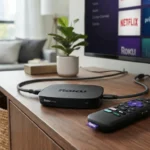






























How to Use Public Stream URLs in 2026
The Ultimate Guide to IPTV M3U Playlists and Live TV
Public Stream URLs in 2026 – The landscape of digital television has undergone a seismic shift over the past decade. What once required expensive cable subscriptions and hardware installations has evolved into a flexible, accessible ecosystem where viewers can stream live content directly to their devices. At the heart of this transformation lies a relatively simple yet powerful technology: public stream URLs and IPTV M3U playlists.
If you’ve stumbled upon this guide, you’re likely curious about how to leverage these tools to access live television content across your devices. Whether you’re interested in exploring international broadcasts, accessing regional programming, or simply understanding how modern streaming infrastructure works, understanding how to properly utilise IPTV M3U playlist URLs has become an essential digital literacy skill in 2026.
This comprehensive guide walks you through everything you need to know about using public stream URLs effectively, safely, and legally. We’ll explore what these technologies actually are, how they function, where to find legitimate sources, and most importantly, how to implement them responsibly. By the end of this article, you’ll possess actionable knowledge that transforms you from a curious observer into a confident user of this powerful technology.
Table of Contents
Understanding IPTV M3U Playlists: The Foundation
Before diving into practical implementation, let's establish a solid understanding of what we're actually working with. IPTV stands for Internet Protocol Television, and it represents a fundamental departure from traditional broadcast methods. Instead of receiving television signals through satellite dishes or cable infrastructure, IPTV delivers content through your internet connection.
An M3U playlist is essentially a text file containing a list of streaming links. The ".m3u" extension stands for "MPEG URL," and these files have become the industry standard for organizing and delivering streaming content. Think of it as a digital programme guide that points your media player directly to the streams you want to watch.
The elegance of this system lies in its simplicity. A single M3U file might contain hundreds or thousands of channel links, each pointing to a specific stream. Your media player reads this file and displays all available channels in an organised interface, allowing you to switch between them with a single click.
How IPTV M3U Playlists Actually Work
The technical mechanism behind IPTV M3U playlists is surprisingly straightforward, though understanding it helps you use them more effectively. Here's what happens behind the scenes:
When you add an M3U playlist to your media player, you're providing the application with a URL or file path. The player then fetches this file, which contains a series of stream addresses. These addresses point to actual content sources distributed across various servers worldwide. Your player requests access to these streams, and if the source is active and accessible, you receive a continuous feed of video and audio data.
The M3U format itself is beautifully simple. Each line in the file either contains metadata about a channel (like its name and logo) or the actual stream link. This simplicity means M3U playlists can work with virtually any media player capable of reading them, from VLC to Kodi, Android TV apps, and dedicated IPTV applications.
This cross-platform compatibility represents one of the key advantages of the IPTV M3U ecosystem. You're not locked into proprietary software or limited to specific devices. The same playlist can function on your television, smartphone, tablet, or computer.
The Evolution of Public Stream URLs in 2026
The past year has witnessed significant developments in how public streaming URLs are curated, distributed, and maintained. Several factors have shaped this evolution.
First, the technological infrastructure supporting IPTV has become considerably more robust. Content delivery networks have improved, allowing for more stable and reliable streaming even during peak usage hours. This stability has made IPTV M3U playlists increasingly viable for serious cord-cutters and content enthusiasts alike.
Second, the variety of available content has expanded dramatically. What began primarily as a way to access international and regional channels has evolved into a comprehensive platform for live sports, news, entertainment, and niche programming. Free public IPTV playlists now frequently include channels that previously required premium subscriptions.
Third, the user interface and experience have matured considerably. Modern IPTV applications feature electronic programme guides (EPGs), search functionality, recording capabilities, and sophisticated filtering options. These enhancements have transformed IPTV from a technical curiosity into a genuine television replacement for many users.
Finding Legitimate Free Public IPTV Playlists
The challenge facing anyone interested in IPTV M3U playlists is locating reliable sources. The internet is filled with dead links, compromised files, and unreliable sources. Finding legitimate free public IPTV playlists requires a strategic approach.
Community-Driven Resources: The IPTV community has developed several platforms where users share and test playlists collaboratively. These community-maintained lists are often more reliable than random sources because they're continuously updated and verified by active users. Reddit communities dedicated to IPTV, for instance, often feature threads where users share working playlists and report which sources are currently functional.
Dedicated IPTV Platforms: Specialised platforms have emerged that aggregate IPTV playlist URLs from various sources, providing a centralized location for discovery. These platforms typically include metadata, channel descriptions, and user ratings that help you identify which playlists will best suit your needs.
Provider Websites: Many legitimate streaming services and content providers offer their own public streams through M3U playlists. Services like tiviplanet IPTV have built comprehensive databases of free and premium IPTV playlist options, allowing users to browse and select playlists that align with their viewing preferences.
When evaluating any IPTV playlist URL, consider these factors: How recently was it updated? Are there user comments indicating whether it's currently working? Does the playlist include a reasonable number of active channels? Is the source reputable within the community?
Selecting the Right Media Player for IPTV M3U Playlists
Your experience with IPTV M3U playlists depends significantly on your choice of media player. Not all players handle playlists equally, and certain players excel in specific scenarios.
VLC Media Player: The venerable VLC remains a reliable choice for desktop users. Its straightforward interface allows easy playlist importing, and it handles various stream formats without complaint. The application's stability and cross-platform availability make it particularly suitable for users who want no-frills functionality.
Kodi: For users seeking a more comprehensive media centre experience, Kodi offers exceptional flexibility. This open-source platform can organise vast numbers of channels, supports add-ons for enhanced functionality, and provides sophisticated options for customising your viewing interface.
Android TV Applications: Native IPTV applications designed for Android TV devices often provide the most polished experience. Applications like IPTV Smarters Pro and similar dedicated platforms offer electronic programme guides, recording functionality, and intuitive navigation optimised for television viewing.
Smart TV Built-in Apps: Many modern Smart TVs include built-in IPTV support or allow installation of dedicated applications. This eliminates the need for additional hardware and provides a seamless viewing experience directly from your television.
The selection depends on your technical comfort level, desired features, and the devices you plan to use. Beginners might prefer dedicated IPTV applications with graphical interfaces, whilst more technical users often favour Kodi's flexibility.
Step-by-Step Implementation Guide
Implementing IPTV M3U playlists involves several straightforward steps, though the exact process varies slightly depending on your chosen platform.
Step One: Obtain Your M3U Playlist URL
Your first task is acquiring a legitimate IPTV playlist URL. Sources like tiviplanet IPTV provide direct links to various playlists. Copy the complete URL, ensuring you capture it accurately.
Step Two: Install Your Media Player
Download and install your chosen media player. For desktop use, VLC and Kodi are freely available from their official websites. For Android devices, access Google Play Store and search for reputable IPTV applications. For Smart TVs, navigate to your device's app store and install the desired application.
Step Three: Add the Playlist
Within your media player, locate the option to add or import playlists. This varies by application. In VLC, you might use the Media menu and select "Open Network Stream." In dedicated IPTV apps, look for a settings or playlist management option. The interface typically provides a field where you paste your M3U URL.
Step Four: Allow Processing Time
After submitting your playlist URL, allow the application several seconds to load and parse the file. Larger playlists containing thousands of channels may require a minute or more to fully load.
Step Five: Browse and Enjoy
Once loaded, your media player displays all available channels. Browse the listings, select a channel, and begin streaming. Most applications allow you to create favourites lists, enabling quick access to your preferred channels.
Essential Tips for Optimal IPTV Performance
Even with everything configured correctly, several factors can impact your IPTV viewing experience. Implementing these recommendations significantly enhances stability and enjoyment.
Ensure Adequate Internet Bandwidth: IPTV streaming demands consistent, reliable internet connectivity. For smooth playback of standard definition content, you require a minimum of 5 Mbps. High-definition content demands 15 Mbps or higher. Conduct a speed test before troubleshooting other issues. If your bandwidth is insufficient, contact your ISP about upgrading your service.
Utilise a Wired Connection When Possible: Whilst Wi-Fi offers convenience, a wired Ethernet connection provides superior stability for streaming devices. If your television cannot accept an Ethernet connection directly, consider positioning your router nearby or using Wi-Fi extenders strategically.
Implement a Reliable VPN Service: Using a VPN adds a layer of privacy and can sometimes improve streaming stability by optimising your connection routing. However, choose reputable VPN providers and understand that some streaming sources may block VPN traffic. This is a nuanced decision that depends on your specific circumstances and local regulations.
Update Your Media Player Regularly: Software developers continuously release updates that improve performance, fix bugs, and enhance compatibility. Keeping your media player current ensures you benefit from these improvements.
Monitor Your Playlist Health: IPTV M3U playlists are living documents that change frequently. Channels go offline, URLs change, and new content appears regularly. Periodically verify that your current playlist remains functional. If numerous channels have stopped working, it's time to update to a fresh playlist.
Comparing IPTV M3U Playlists with Traditional Streaming Services
Understanding how IPTV compares to mainstream alternatives helps you make informed decisions about your viewing habits.
| Feature | IPTV M3U Playlists | Cable Television | Subscription Streaming | Free Public IPTV |
|---|---|---|---|---|
| Cost | Variable | High | Low to Moderate | Free |
| Content Selection | Extensive | Moderate | Extensive | Extensive |
| Live Sports | Yes | Yes | Limited | Yes |
| International Channels | Excellent | Limited | Limited | Excellent |
| Legal Status | Complex | Fully Legal | Fully Legal | Variable |
| Equipment Required | Minimal | Specialized | Minimal | Minimal |
| Reliability | Variable | High | High | Variable |
| Customisation | High | Low | Low | High |
This comparison illustrates that IPTV M3U playlists occupy a unique niche. They excel at providing international and niche content with minimal cost and equipment requirements. However, reliability and legal considerations require careful attention.
Security and Legal Considerations
Engaging with IPTV M3U playlists requires honest consideration of security and legal issues.
Copyright and Intellectual Property: The legal status of IPTV M3U playlists exists in a grey area. Playlists themselves—as collections of URLs—are simply organisational tools. However, the content they point to may be legally protected in your jurisdiction. Using playlists that provide unauthorised access to premium content carries potential legal risks. Research your local laws and exercise reasonable caution.
Malware and Security Threats: Not all IPTV playlist sources are trustworthy. Some malicious actors create playlists that distribute malware, spyware, or adware. Only download playlists and media players from reputable sources. Legitimate platforms like tiviplanet IPTV maintain security standards that protect users from compromised files.
Data Privacy: When streaming through IPTV, your ISP can observe that you're using streaming services, though encrypted streams prevent them from seeing specific content details. For users concerned about surveillance, legitimate VPN services offer protection, though they're no substitute for understanding your local privacy laws.
Account Security: If using paid IPTV services, employ strong, unique passwords and enable two-factor authentication where available. Never share your credentials with others, as this violates terms of service and creates security vulnerabilities.
Troubleshooting Common IPTV Issues
Even with careful setup, occasional issues arise. Here's how to address the most common problems.
Channels Won't Load: This typically indicates either a connectivity issue or that specific streams have gone offline. Test your internet speed first. If adequate, try different channels. If all channels fail, update your playlist URL to a fresh version.
Buffering and Freezing: These issues suggest insufficient bandwidth or an unstable connection. Move closer to your router, switch to a wired connection if possible, or reduce video quality settings if your player offers them. Ensure no other devices are consuming bandwidth simultaneously.
Poor Video Quality: IPTV streams vary in quality based on source. If quality is consistently poor, your bandwidth may be insufficient, or the stream source itself offers limited quality. Try different channels or upgrade your internet service.
Audio Issues: Occasionally, streams deliver video without audio. Switch to a different channel to isolate whether the issue is universal or specific to that source. Restart your media player and reselect the channel.
Application Crashes: If your media player crashes when loading certain playlists, try importing the playlist more slowly or in smaller sections. Update your application to the latest version. If problems persist, switch to a different media player.
Advanced Tips for Power Users
Once you've mastered basic IPTV implementation, several advanced techniques enhance your experience.
Create Custom Playlists: Most media players allow you to create custom playlists containing only your favourite channels. This simplifies navigation and removes clutter from your channel list. Some applications even allow you to organise channels by category.
Implement EPG Integration: Electronic Programme Guides display upcoming programmes for each channel, allowing you to browse what's currently airing before selecting a channel. Services like tiviplanet IPTV often provide EPG data that integrates with your media player.
Explore Automated Playlist Updates: Several media players and applications support automatic playlist updates. Configure this feature to refresh your playlist regularly, ensuring you always have access to the latest channels and streams.
Utilise Recording Features: Many dedicated IPTV applications allow you to record live content for later viewing. This feature proves invaluable for capturing programmes that air during inconvenient times or programmes you might otherwise miss.
Combine Multiple Playlists: Power users sometimes combine multiple IPTV playlist sources into a single comprehensive playlist. This approach provides maximum channel selection, though it requires more management effort.
The Future of IPTV Technology in 2026 and Beyond
The IPTV ecosystem continues evolving rapidly. Several trends shape the technology's trajectory.
Improved Streaming Quality: As internet infrastructure improves globally, IPTV streams increasingly deliver 4K and even 8K resolution content. This development brings IPTV capabilities closer to premium commercial services.
Enhanced User Interfaces: Applications continue becoming more intuitive and feature-rich. Modern IPTV apps now include recommendation algorithms, intelligent search, and personalised content suggestions similar to premium streaming platforms.
Better Integration with Smart Home Systems: IPTV applications are increasingly integrating with broader smart home ecosystems, allowing voice control and seamless switching between devices.
Legal Clarity: As IPTV becomes more mainstream, jurisdictions are developing clearer regulatory frameworks. This evolution will likely result in more legitimate IPTV services and greater clarity regarding user responsibilities.
AI-Powered Content Discovery: Artificial intelligence is beginning to influence IPTV application development, with machine learning algorithms helping users discover content matching their preferences more effectively than static programme guides.
Making Responsible Choices: A Practical Framework
As you explore IPTV M3U playlists, adopting a framework for responsible usage protects both yourself and the broader content creation ecosystem.
Prioritise Legal Sources: Where possible, support legitimate content creators and platforms. Many channels available through IPTV offer content freely as part of their business model. Prioritising these sources supports creators whilst maintaining legal clarity.
Understand Your Local Regulations: Laws governing streaming content vary significantly by jurisdiction. Research your specific location's regulations regarding streaming, VPN usage, and content access. This knowledge empowers you to make informed decisions aligned with your values and circumstances.
Support Content Creators: Even when accessing free content, consider supporting your favourite creators and channels through alternative means like subscriptions to their official platforms, purchasing merchandise, or engaging with their advertising.
Keep Your System Secure: Maintain up-to-date security software, use reputable sources for playlists and applications, and regularly backup important data. These practices protect not just your viewing experience but your broader digital security.
Frequently Asked Questions
Q: Is using IPTV M3U playlists legal?
A: The legality depends on your jurisdiction and the specific content you access. The playlists themselves are simply organisational tools, but the content they point to may carry legal restrictions. Research your local laws, and understand that accessing certain premium content without authorisation may violate copyright laws in your location.
Q: What's the difference between free and paid IPTV playlists?
A: Free IPTV M3U playlists aggregate publicly available streams and typically include community channels, international broadcasts, and public-access programming. Paid services often offer enhanced reliability, better video quality, EPG integration, customer support, and additional features. Free playlists require more active management and monitoring but incur no subscription costs.
Q: Can I use the same IPTV M3U playlist across multiple devices?
A: Yes, absolutely. This flexibility represents one of IPTV's key advantages. The same playlist URL functions on computers, smartphones, tablets, and Smart TVs using compatible media players.
Q: Why do IPTV channels frequently go offline?
A: Streaming sources face numerous challenges including bandwidth limitations, legal takedown notices, server failures, and content rights issues. Additionally, free public IPTV services often operate with limited resources and cannot guarantee uptime. This is why maintaining current playlists proves essential for reliable IPTV usage.
Q: Is a VPN necessary for IPTV streaming?
A: A VPN isn't technically necessary for accessing IPTV, but some users employ VPNs for privacy purposes. However, VPNs can sometimes reduce streaming speed and some services block VPN traffic. Evaluate whether the privacy benefits justify potential performance impacts for your specific situation.
Q: How often should I update my IPTV M3U playlist?
A: Update your playlist whenever you notice significant channel dropout or if you haven't updated in over a month. Many users perform monthly checks and update when necessary. Channels change frequently, so regular maintenance ensures consistent access to working streams.
Q: What internet speed do I actually need for IPTV streaming?
A: For standard definition streams, 5 Mbps suffices. High-definition content requires 15 Mbps or higher for consistent playback without buffering. Check your current speed and ensure adequate headroom above these minimums for stability.
Q: Can I record IPTV streams?
A: Many dedicated IPTV applications include recording functionality. However, always respect copyright laws regarding recording and storing content. Recording may be prohibited for certain copyrighted material in your jurisdiction.
Q: Which media player is best for IPTV?
A: The "best" player depends on your priorities. VLC offers simplicity and reliability. Kodi provides advanced customisation. Dedicated IPTV applications typically offer the most user-friendly experience. Experiment with several options to determine what works best for your needs.
Q: Are there legal risks to using free public IPTV playlists?
A: Potential risks exist depending on what content you access and your jurisdiction's laws. Using playlists that provide unauthorised access to premium content could constitute copyright infringement. Research your local laws and consider supporting legitimate services alongside free alternatives.
Conclusion: Empowering Your Streaming Future
The ability to utilise IPTV M3U playlists effectively represents a valuable skill in 2026's digital landscape. Whether you're seeking access to international programming, exploring niche content, or simply taking control of your media consumption, understanding how to work with public stream URLs empowers you to build a personalised, flexible viewing experience.
This guide has equipped you with comprehensive knowledge spanning from fundamental concepts through advanced implementation techniques. You now understand how IPTV M3U playlists function, where to find legitimate sources like tiviplanet IPTV, how to implement them across various devices, and most importantly, how to do so responsibly and securely.
The key to success lies in approaching IPTV with both enthusiasm and caution. Embrace the flexibility and diverse content these tools provide whilst respecting copyright laws, prioritising security, and supporting legitimate content creators whenever possible.
Your next step is straightforward: select a reputable media player, obtain a current free public IPTV playlist from a trusted source, and begin exploring the remarkable range of live television available across the globe. Start with your familiar channels and gradually discover new content that enriches your viewing experience.
Ready to transform your television experience? Visit tiviplanet IPTV today to explore verified IPTV playlists and discover the channels that align with your viewing preferences. Your journey toward flexible, personalised streaming starts now.



[…] Setting Up a Palworld Dedicated Server – Setting up a Palworld dedicated server is a straightforward process that requires some technical knowledge and the right hardware. In this article, we will guide you through the process of setting up a Palworld dedicated server, including the benefits of a dedicated server, system requirements, and step-by-step setup instructions. […]